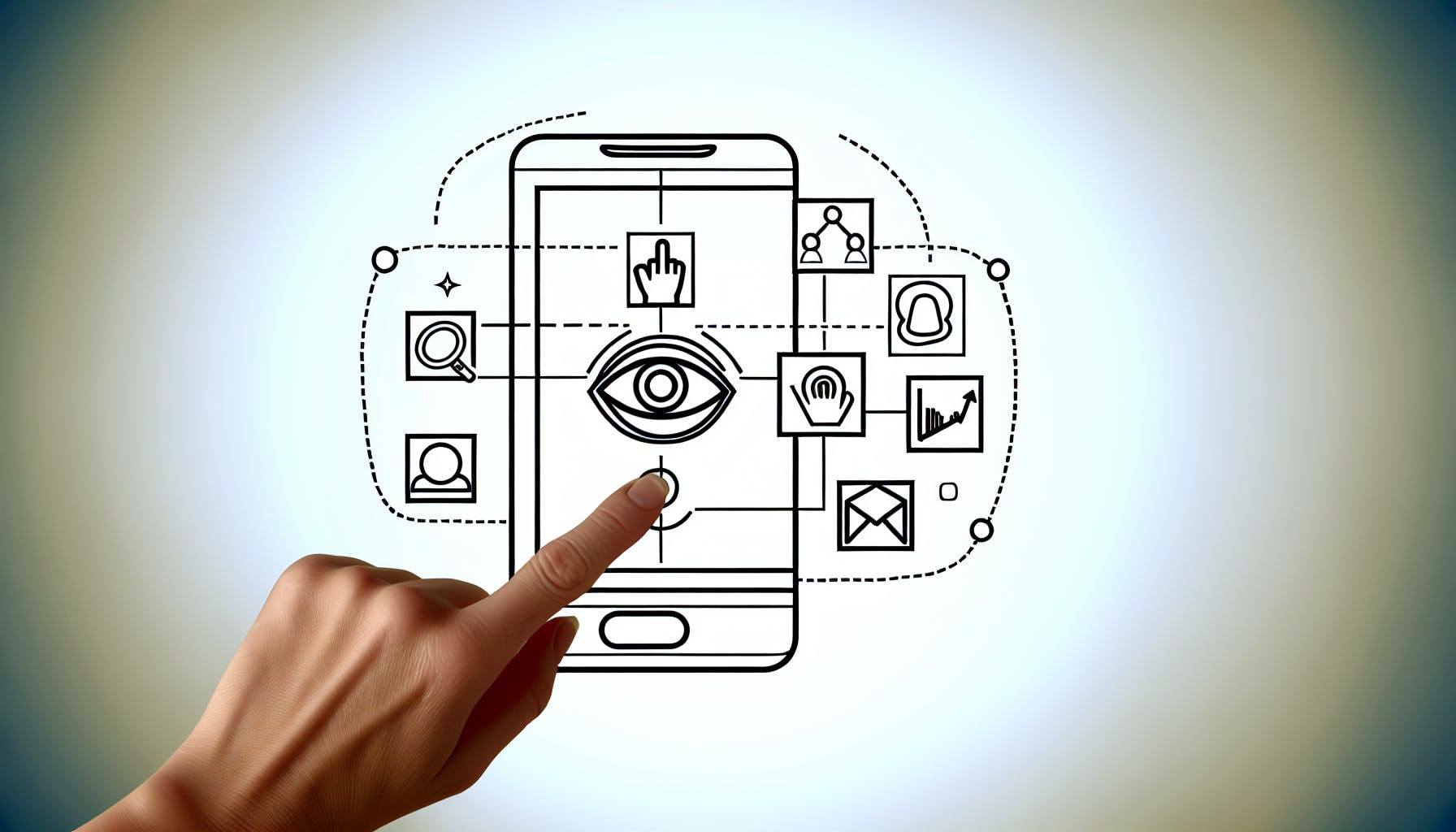
Creating an effective Instant Experience ad on Facebook can be challenging for many marketers.
This step-by-step guide will walk through the entire process to help you create high-converting Instant Experience ads that drive results.
You'll learn how to set campaign objectives, define your target audience, design compelling creative, preview across devices, launch your ad, and continually optimize performance based on insights - ultimately leveraging the unique capabilities of the Instant Experience format to boost engagement.
Introduction to Facebook Instant Experience Ads
Instant Experience ads are a new, immersive ad format introduced by Facebook in 2020. These mobile-optimized ads allow brands to showcase their products or services in an engaging, full-screen experience.
Understanding the Instant Experience Ad Format
Instant Experience ads feature interactive elements like product catalogs, video, lead generation forms, and more. When a user engages with an Instant Experience ad, it expands to fill the entire phone screen, offering an immersive way to explore brands and products.
Key features of the ad format include:
- Full-screen, immersive canvas for showcasing products or services
- Carousels, videos, catalogs, and other interactive content
- Lead generation forms and checkout capabilities
- Optimized for vertical mobile viewing
This ad experience keeps users within the Facebook app, aiming to drive higher engagement and conversion rates.
Advantages of Using Instant Experience Ads on Facebook
For advertisers, Instant Experience ads offer several benefits:
- Higher engagement - The immersive, full-screen experience keeps users' attention to boost engagement.
- Improved conversions - With lead gen forms and checkout, users can take action without leaving Facebook.
- Flexibility - Brands can showcase products, tell their brand story, promote services, and more.
- Mobile optimization - Created specifically for mobile usage, fitting today's primarily mobile customers.
For these reasons, Instant Experience ads are ideal for direct-response campaigns focused on driving conversions.
Showcasing Facebook Instant Experience Examples
Many top brands have already seen success with Instant Experience ads:
- Sephora built an in-app beauty experience to demo products.
- Spotify promoted new releases through playable music samples.
- Benefit Cosmetics let users virtually try on products with AR technology.
These examples showcase the creative flexibility and engagement possible with the format when optimized effectively.
How do you create an instant experience on Facebook?
To create a custom Instant Experience ad on Facebook:
- Go to Meta Ads Manager
- Click "+ Create"
- Choose an objective that supports Instant Experiences and click "Continue"
- Objectives like Traffic, Engagement, Video Views, and Conversions support Instant Experiences
- Add your campaign details, A/B test variations, and budget information if needed
- Choose your budget, audience, placements and optimization
- Placements can include Facebook, Instagram, Messenger, and the Audience Network
- Optimization helps maximize results based on your objective
- Design your Instant Experience creative
- Upload images, videos, logos, and graphics
- Add captions, headlines, descriptions
- Customize fonts, colors, and layout
- Preview how your Instant Experience looks on desktop and mobile
- Launch your campaign!
Key tips when creating an Instant Experience ad:
- Focus on visuals - vivid images and video stand out in the news feed
- Highlight key products/services - showcase your best offerings
- Adapt messaging - tailor copy and layout based on device and audience
- Track performance - optimize based on results and engagement over time
With some thoughtful creative design and testing, Instant Experiences can capture attention and drive conversions across Meta's platforms. Start simply and refine over time for maximum impact.
How do I change my instant experience on Facebook ads?
To duplicate and edit a finished custom Instant Experience ad on Facebook:
- Create or open your ad in Meta Ads Manager.
- In the Ad setup section, check the box next to "Add an Instant Experience".
- Click "Search for an existing Instant Experience".
- Choose the finished custom Instant Experience you want to duplicate.
- Click the "Preview" button.
This will create a duplicate of your chosen Instant Experience that you can then edit and customize further before launching your ad campaign.
Some tips for editing your Instant Experience ad:
- Change visual elements like images, videos, and colors to match your brand or campaign goals. Make sure any new assets meet Facebook's specs and requirements.
- Edit the copy in headlines, descriptions and call-to-action buttons to resonate with your target audience. Keep text clear, concise and action-oriented.
- Rearrange page order or layout to guide visitors through your key messages or products. Remove any unnecessary pages.
- Connect your online store to enable on-site product purchases without leaving Facebook.
- Preview on mobile to optimize the experience for the majority of your audience. Check that tap targets and text are sized appropriately.
- Test different variations of creative, copy and flow before launching to see which performs best.
Customizing your Instant Experience to align with campaign goals and audience preferences can drive stronger results from your Facebook ads. Experiment until you find the right formula!
What type of ad is instant experience?
Facebook Instant Experiences, formerly known as Canvas Ads, are a type of full-screen interactive ad designed specifically for mobile. They allow marketers to create customized, immersive experiences by combining video, images, carousels, and other interactive elements into a swipeable, tap-able ad unit.
Some key things to know about Instant Experience ads:
- They are mobile-only and take up the entire screen. This allows for more engaging creative compared to standard mobile News Feed ads.
- They allow layered interaction, with elements that users can swipe through or tap to reveal more content. This creates a dynamic, multi-dimensional experience.
- They incorporate multiple ad formats into one seamless flow, like video, carousels, lead forms and more.
- They capture attention with movement and visuals, aiming to tell a captivating brand story.
- They drive conversions by guiding users through a journey to present calls-to-action at optimal times.
So in summary, Instant Experiences are a mobile-exclusive Facebook ad format that combines interactive elements, visual media, and layered storytelling into one immersive full-screen experience. This ad type delivers high engagement and conversions when executed effectively.
Do Facebook instant experiences work?
With instant-loading speeds — 15x faster than the standard mobile web — Facebook Instant Experience ads can be highly effective for a variety of campaign goals like driving app downloads, video views, or landing page visits.
Here are some key benefits of using Instant Experience ads on Facebook:
- Fast loading speeds - The streamlined, lightweight format allows the ads to load instantly, keeping users engaged. This can increase click-through rates.
- Interactive elements - You can add interactive elements like product carousels, lead forms, appointment schedulers etc. This further engages users and drives conversions.
- Cross-device optimization - The ads are designed specifically for mobile, with automatic optimization for different devices. This improves performance across smartphones and tablets.
- Detailed analytics - You get access to detailed analytics on impressions, reach, clicks, conversions and more. This allows data-driven optimization of the ads.
- Flexible objectives - You can create Instant Experience campaigns optimized for different goals like traffic, conversions, video views, app installs, and more.
- Automated bidding - Facebook's AI-powered bidding strategies help you get the most conversions within your budget. This takes the guesswork out of bid management.
So in summary - Instant Experiences load faster, keep users engaged, work across devices, and provide you the data to continually optimize performance. This makes them one of the most versatile and effective ad formats on Facebook today for a wide range of marketing objectives.
sbb-itb-2747bdb
Planning Your Instant Experience Ad Campaign
Setting Campaign Objectives Aligned with Your Goals
When setting up your Instant Experience ad campaign, first consider your overall marketing goals. Are you aiming to drive traffic to your website, increase conversions, or build brand awareness? Select campaign objectives that align with these goals.
For example, if your goal is to increase online sales, choose the "Conversions" objective. If you want more people visiting your website or signing up for your email list, "Traffic" is a good objective.
Make sure to also set a budget that matches the scope of your campaign. Start small, analyze performance over the first few days, then make adjustments.
Defining an Audience to Target
Targeting the right audience is key for Instant Experience ad success. Leverage Facebook's detailed targeting options to zone in on your ideal customer demographic.
Consider targeting by location, age, gender, interests, behaviors like past purchases or site visits, and more. You can also create saved audiences to reuse across campaigns.
Use Facebook's Audience Insights tool to analyze the demographics and preferences of people engaging with your page. This helps inform who to target.
Retargeting people who previously interacted with your brand also tends to perform well. Create custom audiences from your email lists, website visitors, past customers, etc.
Choosing Ad Placements Across Facebook and Instagram
When setting up your campaign, you can choose to show your ads across Facebook, Instagram, Messenger or Audience Network. Make selections based on where your audience spends time.
For visual products like fashion or travel, Instagram and Facebook feeds tend to work well. For a productivity app, try Facebook and Messenger.
You can also select automatic placements for broad reach or focus on specific placements like Instagram Stories. Test different options to see what resonates best.
Setting Your Budget and Bidding Strategy
When launching your campaign, define a daily budget that aligns with your goals and audience size. Most advertisers start small, between $5-50 per day.
For bidding, the default "Lowest Cost" optimization focuses on getting conversions for the lowest possible price. This works well for most.
Alternatively, "Highest Traffic" aims to show your ads to the most people within your target budget. Useful for branding campaigns.
Start with the default bidding, monitor performance daily, and adjust as needed based on results and learnings. Be prepared to iterate.
Designing Your Instant Experience Ad
This section will walk through the key steps involved in setting up an Instant Experience ad campaign on Facebook.
Utilizing Facebook Instant Experience Templates
Facebook provides a variety of pre-designed templates you can use to quickly build an Instant Experience ad. These templates make it easy to create professional, eye-catching ads without advanced design skills.
To access the templates, go to the Ads Manager and select "Create Ad." Then choose "Instant Experience" as the format. You'll see template options for different objectives like driving conversions, promoting products, showcasing content, and more.
Select a template that aligns with your campaign goal. You can then customize it by uploading images, videos, adding text, and modifying design elements. Using a template cuts down on production time so you can launch campaigns faster.
Incorporating Facebook Shop Catalog into Your Ad
If you have an existing Facebook shop catalog, you can easily add products from your catalog directly into an Instant Experience ad. This lets you dynamically showcase specific products to each customer based on their interests and browsing history.
To add catalog items, edit your ad creative and select the "Add Product" option. You can then choose individual products or collections to highlight. The products will automatically pull in the images, descriptions, pricing, and other details from your catalog.
Incorporating your catalog makes for more personalized, relevant ads. You can also set up automated rules to change product selection based on the audience.
Creating Unique Effects with Carousel Features
Instant Experience ads support interactive carousel features that let you create multi-page experiences within a single ad. You can use these dynamic elements to tell a story, highlight different products or content, and guide the user through a journey.
Some unique effects you can build with carousels include:
- Product tutorials - Showcase product features/use cases across carousel pages
- Before/after comparisons - Highlight transformation using a sliding image effect
- Lookbooks - Model different outfits on each page
- Poll questions - Engage users by asking interactive questions
- Countdown timer - Create urgency/excitement for upcoming sales or product releases
Get creative with carousel transitions and effects to make your ad stand out. Test different options to see which resonates most with your audience.
Adhering to Instant Experience Facebook Specs
To ensure your Instant Experience ads meet Facebook's requirements, follow their latest technical specifications and recommendations:
- File Types - Use MP4, PNG, JPG for videos/images. Max file size 100MB.
- Dimensions - 1200 x 628 pixels for landscape desktop feed ads. 1:1 ratio for mobile feeds.
- Length - Video ads should be under 240 seconds. Carousels can have 2-10 images/videos.
- Text - Include a clear call-to-action. Limit body text to 125 characters.
- Frames Per Second - Have at least 24 FPS for smooth video playback.
Carefully check your ad against Facebook's specs before launching your campaign. This helps deliver a flawless viewing experience across platforms.
Previewing and Testing Your Facebook Instant Experience Ad
Previewing Your Ad on Different Devices
It's important to preview your Instant Experience ad across different devices to ensure it displays properly and provides a seamless user experience. Here are some tips:
- Use the Facebook Ads Manager preview mode to view your ad on desktop and mobile. Check that images, videos, and text render correctly.
- Test your actual website experience on multiple real devices. Confirm that transitions, interactions, and loading times meet expectations.
- Pay special attention to mobile experience. Check that tap targets and touch interactions work as intended.
- Consider using services like BrowserStack to preview across many device types and operating systems.
Testing Interactivity and User Experience
Conduct live testing to validate that all interactive elements of your Instant Experience ad work correctly:
- Click through every link and button in the ad to ensure proper functionality.
- For video or carousels, test swiping/advancing to next frames.
- If using lead generation forms, submit test data and verify correct capture.
- Enable sound for any audio/video content and adjust volume as needed.
- For games/app demos, complete one full user flow to confirm intended experience.
Fix any issues uncovered during testing to optimize interactivity.
Making Adjustments Based on Preview Insights
Use learnings from previewing your ad to make final refinements:
- Edit images or videos that don't convey intended messaging.
- Adjust font sizes if text isn't legible on certain devices.
- Simplify complex layouts if they don't render well on mobile.
- Confirm compliance with Facebook's specs if errors surface.
- Enhance loading speeds if transitions seem slow.
- Refine UX based on tester feedback to boost engagement.
Iteratively improving your ad will help boost its visibility, clicks, and conversions once launched. Maintain this optimization process over time using performance data.
Launching and Monitoring Your Instant Experience Ad
Publishing Your Instant Experience Ad on Facebook
Once your Instant Experience ad creative is complete, it's time to publish it and make it live on Facebook. Here are the key steps:
- Navigate to the Ads Manager and select your ad set
- Click "Publish" and confirm you are ready to make the ad live
- Set a lifetime budget and schedule - it's recommended to start with a small budget to test performance
- Target your ad to relevant audiences based on location, demographics, interests and behaviors
- Set up billing and payment information if you haven't already
- Review Facebook's ad policies to ensure your ad complies with requirements
- Click "Confirm" to officially publish your Instant Experience ad
It's exciting to see your ad go live, but remember that launch is just the beginning! You'll want to closely track performance data to optimize ongoing results.
Tracking Important Facebook Ad Metrics
Once your Instant Experience ad is live, login to Facebook Ads Manager to monitor metrics that indicate how well your ad is performing. Key metrics to track include:
- Impressions: The number of times your ad is displayed. Aim for a high reach.
- Clicks: The number of clicks on your ad pointing users to your site or app. A higher CTR signals an engaging ad.
- Conversions: Track goals like sales, sign-ups, checkouts, etc. Set up the Facebook pixel to monitor conversions.
- CPM and CPC: Assess ad cost efficiency with cost per thousand impressions and cost per click.
- Audience Insights: See audience demographics and interests to refine targeting.
Analyze this data daily when starting out. Performance early on will indicate if your targeting and creative resonates with users.
Optimizing Your Ad Based on Performance Data
Use learnings from your performance metrics to optimize your Instant Experience ad:
- Adjust Audience Targeting: Expand to larger qualified audiences or narrow your focus if needed based on audience insights.
- Improve Ad Creative: Make changes if impressions are low or CTR is not satisfactory early on.
- Modify Bidding Strategy: Use automatic bidding initially for optimization by Facebook or switch to manual bidding later.
- Increase Budget Over Time: Scale budget up gradually as you gain confidence in positive metrics for your ad.
- Refine Goals and Metrics: Adjust the success metrics you prioritize based on your objectives.
Continual optimization is key to staying on top of changing audience interests and keeping your ad relevant over time.
Leveraging the Facebook Pixel for Enhanced Tracking
Installing the Facebook pixel on your website allows you to unlock more advanced analysis of your Instant Experience ad performance. With the pixel, you can:
- Better track conversions from your ad to site interactions
- Create customized audiences to target
- Gain insights about engaging users to guide creative optimizations
Prioritize setting up the Facebook pixel early on for richer performance data on site activity driven by your ad. Monitor pixel events closely to enhance your Instant Experience ad strategy over time.
Optimizing and Improving Performance
Improving campaign performance over time requires continuously monitoring metrics, testing variations, and scaling what works. Here are some tips:
Analyzing Metrics and Reports
Carefully review campaign reports and metrics to identify top-performing elements:
- Analyze click-through rates, cost per click, conversions, and return on ad spend for each ad creative, audience, placement, etc.
- Compare metrics week-over-week and set goals for improvement.
- Identify the highest performing combination of creative, audience, placement, and budget based on your analysis.
Split Test Ad Variants
Make small iterative changes to creative, audience targeting, and placements to boost performance:
- Create slightly different ad copy and images to test.
- Expand your audience targeting to new, relevant groups.
- Test different placements like Facebook feed vs Instagram stories.
- Run A/B split tests with a portion of your budget allocated to the variants.
Expand on What Works
Scale budget and effort towards high-performing areas of your campaign:
- Increase spending on well-performing creatives, audiences and placements.
- Put more focus on creating new ads and assets that are similar to your top performers.
- Widen your reach to more of the audience groups that are converting at high rates.
Continuously optimizing through testing and scaling high-performers will lead to improved campaign results over time.
Conclusion and Key Takeaways
In closing, Facebook Instant Experience ads enable highly interactive and engaging experiences leading to proven results for brands. Key highlights covered include:
Summarizing the Benefits Over Standard Ads
- Instant Experience ads stand out with interactive elements like product catalogs, videos, and lead generation forms directly within the ad unit. This creates more engaging experiences compared to standard image and video ads.
- They drive higher click-through rates and conversion rates. Brands have seen conversion rate lifts between 2-10x compared to standard Facebook ads.
- The immersive experience keeps users focused on the brand's content rather than external websites. This leads to lower exit rates from the Instant Experience.
- Brands can deeply customize experiences using web development skills or easy-to-use templates. This level of personalization and branding is not possible in regular ads.
Reflecting on Creative Options and Strategies
- Product catalogs showcase goods in visually compelling ways and enable on-site checkout. Strategically highlight best-selling or higher-margin items.
- Lead generation forms qualify interested users through quizzes or by collecting contact info. Offer discounts to incentivize form fills.
- Videos personalized with the viewer's name or location have high view-through rates. Keep videos short and impactful.
- Interactive modules like configurators and augmented reality let users actively engage with products. Ensure mobile-friendly development.
Emphasizing the Importance of Testing and Optimization
- Continually test elements like layouts, CTAs, products featured to maximize performance. Be prepared to iterate.
- Track clicks, view rates, conversion rates, and cost per result as key metrics. Compare against campaign objectives.
- Monitor device level performance to identify any mobile vs desktop differences in engagement.
- Use A/B tests for bigger changes, multivariate tests for finer tweaks to identify the best performing option.