Your team probably has this problem already. Creative is moving fast, AI is producing more variants than reviewers can reasonably inspect one by one, and paid media can launch across multiple ad accounts before anyone notices that the wrong headline, image, disclaimer, or destination URL slipped through.
That's where a content approval workflow stops being an editorial nicety and becomes an operating system for ad execution. In enterprise growth teams, the issue isn't whether approval matters. It's whether your approval model can keep pace with campaign velocity without creating a queue that slows media buyers, designers, brand teams, and compliance reviewers to a crawl.
A lot of teams still run approvals with checklists, chat messages, spreadsheets, and someone “keeping an eye on it.” That works until volume spikes. Once it does, you need clearer ownership, explicit gates, and a shared workspace where everyone can review and act together. If your team is still piecing together launch readiness across comments and threads, a more collaborative approval model is overdue, especially for teams coordinating assets, copy, and sign-off across functions in one place like shared ad collaboration workflows.
Table of Contents
- Why Your Ad Team Needs More Than Just a Checklist
- Treat approvals as decisions not comments
- Set gates your team can actually follow
- How do we handle urgent launch requests
- What if senior stakeholders give conflicting feedback
- Which approvals can be conditional
- How do we get team buy-in
Why Your Ad Team Needs More Than Just a Checklist
The failure mode is easy to recognize. A campaign launches on time, but not correctly. One market gets the wrong creative. Another account uses copy that never received final sign-off. Legal sees the live ad instead of the draft. Media buyers spend the first part of launch day cleaning up preventable mistakes.
That doesn't happen because teams don't care. It happens because checklists don't control process. They remind people what should happen, but they don't enforce who must act, in what order, under what deadline, and with what record of approval.
The pressure is worse in performance marketing because speed matters. Teams are testing fresh offers, rotating creatives, adapting winning ads, and publishing across accounts at a pace that blog-style approval models weren't built for. At the same time, larger organizations need proof that the right people reviewed the right assets before spend went live.
With 70% of marketers running active content marketing programs in 2020, content volume alone made structured approvals an operational requirement rather than a simple quality step, as summarized by Jotform's content approval workflow overview. Ad teams feel that pressure even more sharply because every extra asset creates another round of review, another dependency, and another chance for a launch error.
A checklist helps people remember. A workflow helps teams coordinate.
For enterprise growth teams, that distinction matters. A checklist lives with the individual. A workflow lives with the team. It defines ownership for creators, media buyers, brand reviewers, legal stakeholders, and final approvers so that launch readiness doesn't depend on memory or urgency.
A strong content approval workflow also changes the tone of collaboration. Instead of endless feedback loops, teams work against clear checkpoints. Instead of asking “did anyone approve this,” they can ask “which gate is holding this asset, and does that gate still add enough value to justify the delay?”
Lay the Foundation with Roles Gates and Policies
Most approval problems start before any software enters the picture. They start when teams haven't agreed on who has decision rights, what each stage is meant to catch, and how long reviewers are allowed to sit on an asset.
A reliable model for a content approval workflow uses five stages: content generation, initial quality assessment, stakeholder review, revision implementation, and final approval. That sequence appears in Storyteq's guidance on AI content approval workflows and it maps well to ad operations because it separates creation, screening, review, rework, and sign-off into distinct checkpoints.
Treat approvals as decisions not comments
If everyone can comment but nobody knows who decides, approvals drift. The fix is simple. Define roles based on decision authority, not job titles alone.
| Role | Example Title | Key Responsibility | Team Callout |
|---|---|---|---|
| Creator | Creative Strategist, Designer, Copywriter | Produces the asset and submits it with the required brief, links, and metadata | Keeps media, creative, and brand inputs in one submission instead of scattered files |
| Initial Reviewer | Channel Lead, Creative Ops Manager | Checks completeness, formatting, naming, and basic QA before wider review | Protects senior stakeholders from reviewing incomplete work |
| Stakeholder Reviewer | Brand Lead, Product Marketing Manager, Regional Lead | Reviews message fit, audience alignment, and market-specific concerns | Gives cross-functional teams one place to align before launch |
| Compliance Reviewer | Legal, Regulatory, Policy Reviewer | Reviews claims, disclaimers, regulated language, and risk issues | Helps enterprise teams manage high-risk ad categories with traceable oversight |
| Final Approver | Marketing Director, Paid Social Lead, Account Owner | Gives release approval for publishing | Confirms the asset is approved for the intended account, market, and timing |
The useful rule is this: commenters advise, approvers decide. If someone's feedback is optional, don't make them a gate. If they can block publication, document that explicitly.
Practical rule: Every stage needs one owner, one deadline, and one pass or fail decision.
Set gates your team can actually follow
The stage design should be strict enough to prevent unapproved launches and light enough to preserve speed. For most ad teams, four gates work well in practice:
- Draft gate. The asset isn't review-ready until the brief, targeting context, landing page, and required variants are attached.
- Internal review gate. Channel, creative, and campaign owners check whether the asset is strategically usable.
- Legal or compliance gate. Only required for content types or markets that carry higher risk.
- Final sign-off gate. One accountable approver releases the ad for scheduling or publishing.
Policies are what keep those gates from turning into suggestion boxes. Teams need written rules for:
- Review windows. Define how long each reviewer has before the item escalates.
- Escalation paths. Specify who steps in when an approver misses deadline.
- Change control. Decide whether post-approval edits restart the workflow or route only through a limited recheck.
- Content-type routing. Set different paths for low-risk copy edits, net-new concepts, regulated claims, and multi-market adaptations.
A practical implementation method is to map your current process from the last three projects, define entry criteria and exit criteria for each stage, and set review windows of 24 to 48 hours for most content, with longer windows reserved for more complex checks, based on Ybug's workflow implementation guidance.
Teams often skip this because it feels administrative. It isn't. It's how collaborative ad management becomes predictable instead of personality-driven.
Design Your Workflow From Manual to Automated
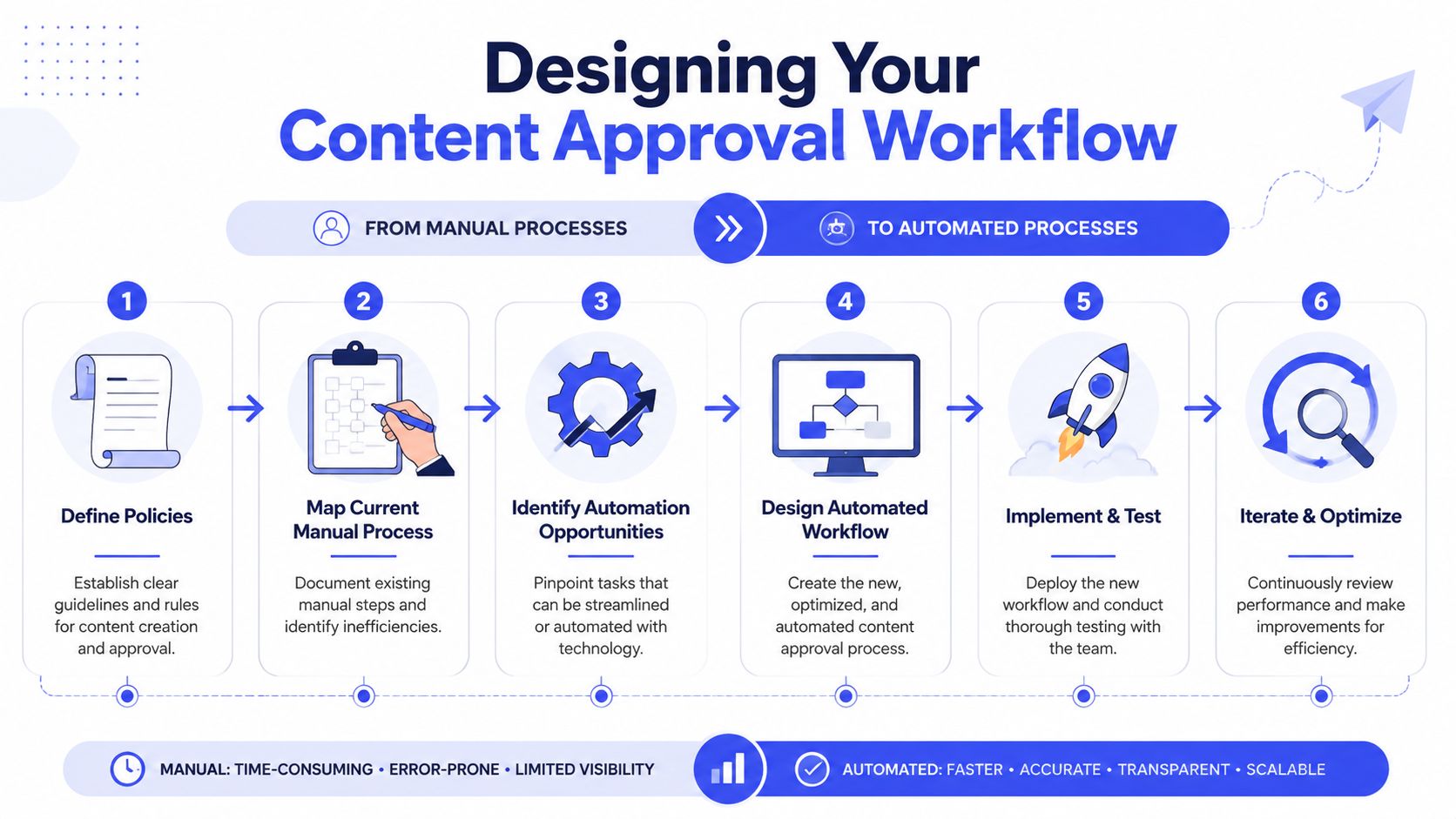
The fastest way to improve a workflow is to stop designing it from theory. Start with the last few launches your team ran. Look at where handoffs stalled, where feedback conflicted, and where someone had to chase approvals manually.
Start with your last three launches
Reviewing recent work exposes the actual process instead of the imagined one. In most ad teams, the documented flow looks clean, but the live version includes side approvals in Slack, missing files, duplicate comments, and “quick changes” that bypass the system.
Use a working session with creative, media buying, and operations to answer four questions:
- Where did assets wait longest. Not who was slow, but which stage created the biggest queue.
- Which approvals added value. Some reviews catch risk. Others repeat earlier comments.
- What information was missing at submission. A weak intake creates rework that looks like review delay.
- Which changes should have followed a faster path. Not every update deserves the full chain.
If you want a useful reference point for social and campaign teams, this guide for SaaS team content approval is a good example of how review paths can be adapted by team structure and publishing reality.
A manual flowchart is still worth doing. Whiteboard it in Miro, FigJam, Lucidchart, or even a shared doc. Show each stage, the owner, the trigger to move forward, and the reason an item might return for revision.
Automate handoffs not judgment
Organizations often automate the wrong thing first. They try to automate decision-making before they've automated coordination. In ad approvals, the first wins usually come from removing repetitive admin work:
- Routing notifications so the next approver is alerted automatically.
- Deadline reminders so operations doesn't spend the day chasing comments.
- Status changes so everyone can see whether an asset is waiting, blocked, approved, or sent back.
- Pre-checks for obvious errors such as missing files, incorrect naming, or broken submission fields.
- Bulk movement of approved assets into the launch queue for the right account set.
The human gates should stay focused on judgment. Message risk, compliance language, market sensitivity, and brand interpretation still need people. Simple completeness checks, reminder logic, and publish-ready handoffs don't.
For high-volume ad teams, this becomes especially important when assets move from review into execution. If your workflow ends at “approved” but your launch process still relies on manual transfer across tabs and accounts, the system is only half-built. That's why teams running many variants often need a tighter bridge between sign-off and bulk campaign launching workflows.
Here's a useful way to pressure-test automation decisions.
If a step exists only to move information from one person to another, automate it. If a step exists to evaluate risk or quality, keep it human-gated.
Once you've mapped that line clearly, the workflow gets faster without becoming reckless.
A short walkthrough can help your team visualize that change in practice.
Choose the Right Tools for Governance at Scale
A spreadsheet can describe a workflow. It can't govern one at scale. Once you're managing AI-assisted creative output, multiple brands or regions, and launches across many ad accounts, the platform matters as much as the process.
That's because traditional linear approval models break down under volume. For teams generating ad variants at scale, the central challenge is role-based governance and auditability across many assets and stakeholders, as discussed in Contentstack's content approval workflow guide.
What enterprise ad teams need from the stack
The tool should support the operating model you defined earlier. If it doesn't enforce roles, capture approval history, and connect review to launch execution, your team will drift back to side channels.
Look for these capabilities:
- Role-based permissions so creators, reviewers, compliance teams, and account owners see only what they need and can approve only what they own.
- Centralized asset storage so teams aren't reviewing outdated files from email attachments and shared drives.
- Version control so reviewers know which creative, copy, or variation is under review.
- Audit logs that show who approved what, when, and after which revision.
- Workflow routing that can change based on content type, region, or risk profile.
- Notifications and escalations built into the system instead of managed manually by operations.
- Connections to creative and publishing systems so approved work can move forward without re-entry.
For enterprise teams, collaboration matters as much as control. Creative, paid media, legal, and regional stakeholders need to work from the same source of truth. Otherwise, you don't have a workflow. You have parallel conversations.
The tool should match the publishing model
A useful test is to ask whether the platform is built for asset review only, or for end-to-end ad operations. Many tools are good at collecting comments but weak at connecting approval status to what gets launched.
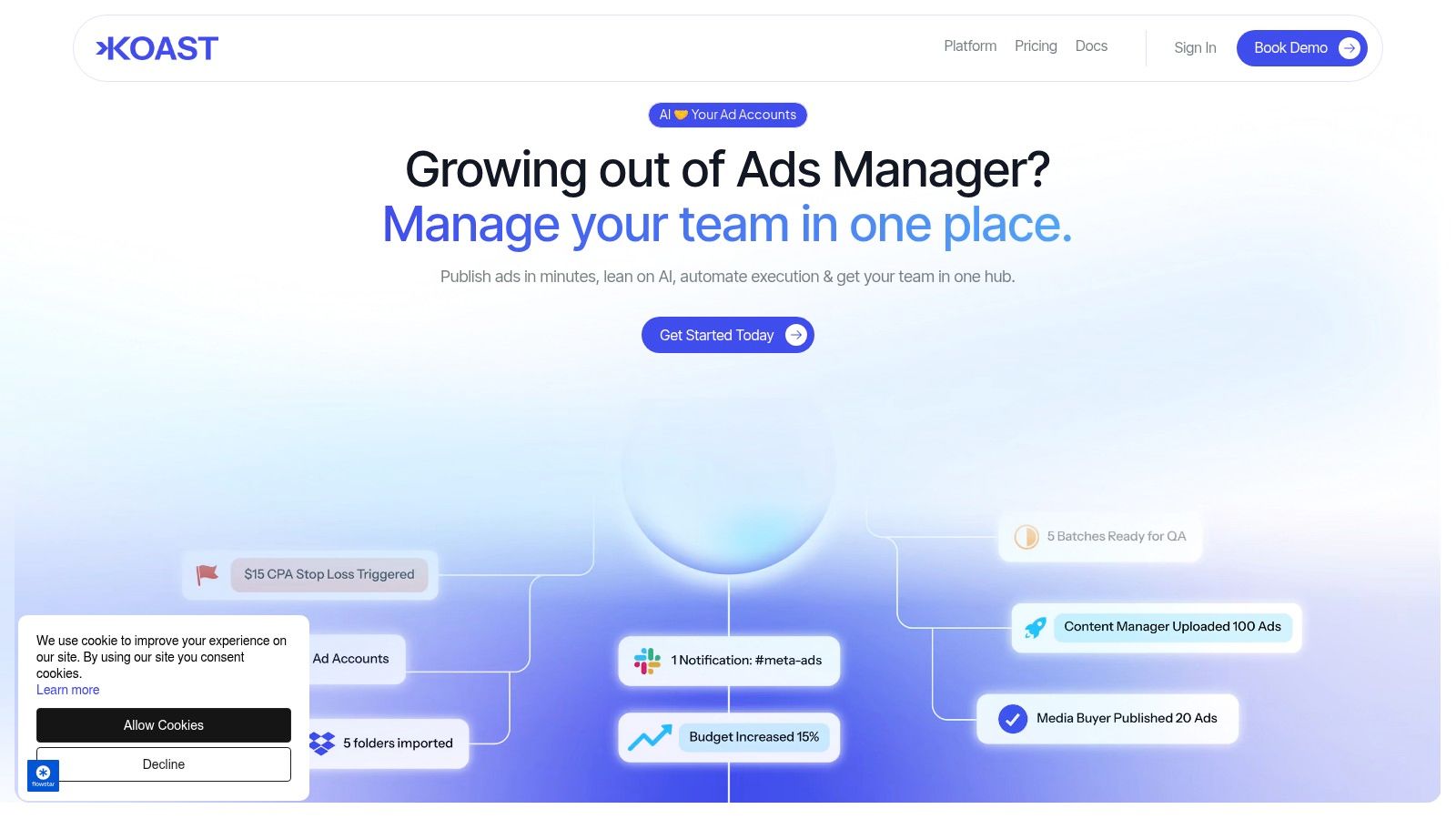
That's where a platform such as Koast fits a specific use case. It combines a centralized creative library for ad teams, role-based permissions, and activity logs with ad publishing workflows. For teams running Meta campaigns across multiple accounts, that setup helps keep approved assets, launch actions, and team accountability in one environment.
Not every organization needs that exact model. Some need a standalone workflow layer that connects to existing systems. Others need deeper controls because regulated, distributed, or public-sector-like approval environments require stronger governance design. If that's relevant to your team, this piece on open source no-code for government is useful for thinking about how control, flexibility, and enterprise governance can coexist.
The right tool doesn't just collect approvals. It narrows the gap between approved and published.
That matters most in multi-account environments. If the system can't guarantee that only approved assets reach launch, governance still depends on manual discipline. At scale, manual discipline doesn't hold for long.
Measure What Matters Balance Speed and Control
A content approval workflow is only as good as the friction it removes and the risk it catches. If you can't see where items slow down, how often they loop back, or which stage causes missed publishing windows, you're managing by anecdote.
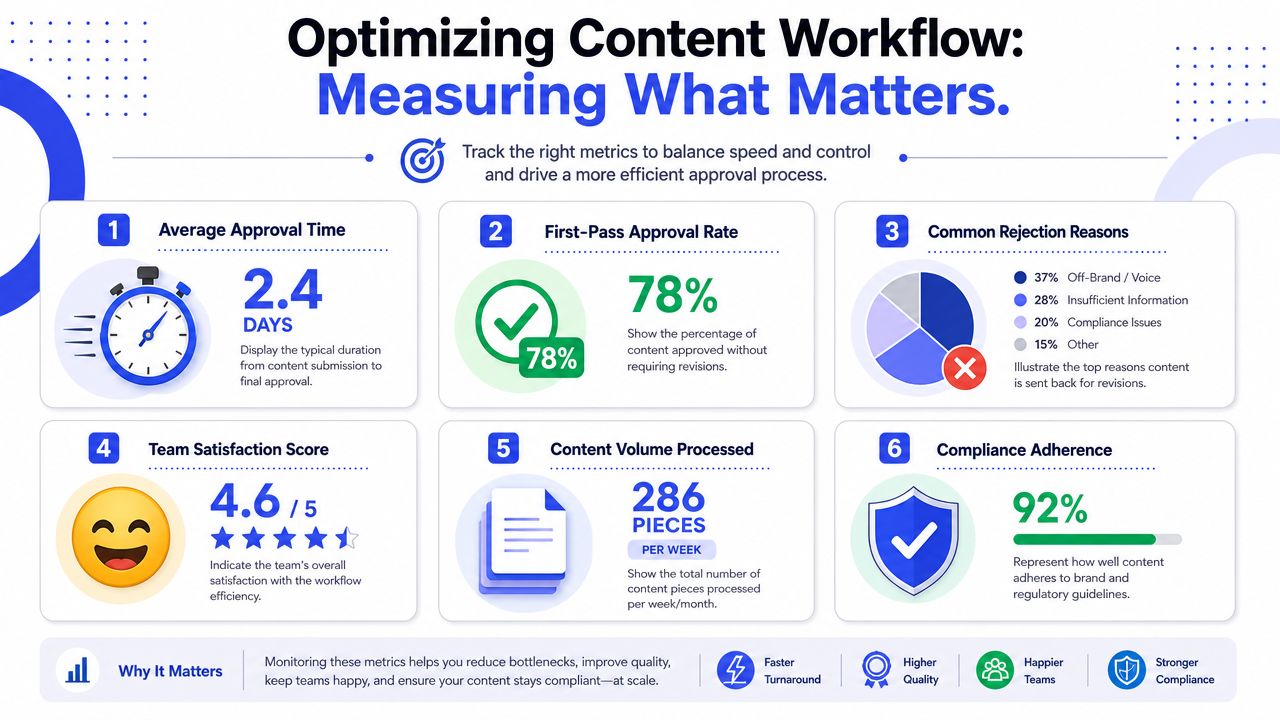
The most useful operational KPIs are average approval time, revision cycles, on-time publication rate, and approval bottlenecks by stage, as outlined in Reach Influencers' workflow KPI guide. Those metrics work because they reveal both speed and process quality.
Build a dashboard around stage performance
The first mistake teams make is tracking only final approval speed. That hides the actual problem. A campaign may look late overall, but the delay might sit entirely in one review queue.
A better dashboard separates workflow health into stage-level views:
| Metric | What it tells you | Why the team should care |
|---|---|---|
| Average approval time | How long an asset takes from submission to final sign-off | Shows whether the full workflow is becoming faster or slower |
| Time in each stage | Where work waits longest | Helps creative, media, and legal teams solve the right bottleneck together |
| Revision cycles | How many times assets come back for rework | Reveals whether briefs are weak or feedback is conflicting |
| On-time publication rate | Whether approved work actually reaches launch on schedule | Connects review performance to campaign execution |
| Bottlenecks by stage | Which gate creates the largest queue | Keeps improvement focused on system design, not blame |
Don't use this dashboard to rank people. Use it to redesign the process. If legal reviews are consistently the slowest stage, the answer may be earlier intake requirements, clearer claim templates, or conditional routing for low-risk edits. If revision loops are high, the issue may sit with briefing or stakeholder alignment rather than reviewer responsiveness.
Use data to redesign the workflow
Measurement gets useful when it changes policy. A few examples:
- If approval time is high but revision cycles are low, you may have too many passive approvers.
- If revision cycles are high early, the brief or asset intake is weak.
- If on-time publication is low despite fast approvals, the handoff from approved to launched is broken.
- If one content type always stalls, that path probably needs a separate workflow.
Speed and control cease to be opposites. Faster approvals aren't always better if they remove meaningful risk checks. Slower approvals aren't automatically safer if they just add waiting time without catching anything important.
Measure delay by stage, not just by project. Teams can only fix the queue they can see.
For collaborative ad teams, this creates a healthier operating rhythm. Weekly reviews become less about “who's blocking launch” and more about what the workflow is teaching you. That's how approval systems mature from rigid process maps into operating controls that support scale.
Answering Your Team's Toughest Workflow Questions
Even well-built workflows run into edge cases. Enterprise ad teams deal with urgent requests, executive opinions, market-specific edits, and AI-generated volume that doesn't fit a simple linear chain. The answer isn't to abandon the process. It's to design exceptions without turning every exception into chaos.
How do we handle urgent launch requests
Create a documented fast-track path before you need it. Don't improvise under pressure.
That fast-track path should define which asset types qualify, who can request it, which reviewers are still mandatory, and what happens after launch. An urgent status should remove waiting time and optional reviews, not required governance. If legal or brand review is required for that asset type, urgency doesn't erase the need.
A useful approach is to require a business owner to accept the risk of the shortened path in writing inside the workflow itself. That keeps the decision visible and prevents “urgent” from becoming a default setting.
What if senior stakeholders give conflicting feedback
Don't let creators mediate executive disagreement. Route conflicting comments to a single decision owner.
That owner is usually the campaign lead, brand lead, or final approver. Their job isn't to collect every opinion equally. Their job is to decide which feedback governs the asset. If your workflow doesn't establish that authority, revision cycles will keep expanding because every round introduces a new interpretation.
Use one rule consistently: once stakeholder review closes, all unresolved conflicts move upward to the named decision-maker. They don't bounce back to the creative team as “please reconcile.”
Which approvals can be conditional
Not every change deserves the full review path. This is one of the biggest missed opportunities in ad operations.
Conditional routing works well when your team clearly classifies change types, for example:
- Low-risk edits such as formatting corrections, tracked link updates, or approved copy swaps can follow a shortened route.
- Moderate changes such as new headlines, offer framing, or audience-specific messaging may require internal review plus final sign-off.
- High-risk assets such as regulated claims, new video concepts, or region-specific compliance issues should pass through the full gate sequence.
The important part isn't the labels. It's the decision logic. Teams need written criteria so creators and ops leads know when a change resets the workflow and when it doesn't.
How do we get team buy-in
Approval systems encounter resistance when the process feels slow, arbitrary, or disconnected from actual launch work. Buy-in improves when the workflow is visibly fair and clearly useful.
Three habits help:
- Show the pain the workflow removes. Missed approvals, duplicate reviews, and launch errors are easier to fix when everyone can see the queue.
- Keep reviewer scope narrow. People engage faster when they know exactly what they're responsible for.
- Review the process with the team. Treat the workflow as a shared operating model, not an ops rulebook handed down from above.
For enterprise growth teams, collaborative ad management matters here. Designers, media buyers, compliance, and stakeholders are more likely to support the system when it reduces rework for everyone rather than adding another layer of admin.
A strong content approval workflow doesn't eliminate tension between speed and control. It makes that tension manageable. Teams can then decide, asset by asset, where human judgment is essential, where automation should carry the load, and where an extra approval no longer earns its keep.
If your team is trying to scale ad approvals across many assets and ad accounts without losing control, Koast is worth evaluating. It supports role-based permissions, centralized creative management, activity logs, and publishing workflows in one environment, which makes it relevant for teams that need approval governance tied closely to launch execution.
Built with Outrank app