If your team still treats Meta Conversions API as a nice-to-have, the numbers should reset that conversation. Advertisers using only the Pixel tracked roughly 60 to 70% of actual conversions, while teams using Pixel plus CAPI tracked about 95%, a 25 to 35 percentage point increase according to ISE Media's breakdown of Meta Conversions API performance. For enterprise growth teams, that isn't a reporting detail. It changes budget allocation, creative decisions, and how confidently you scale spend.
The technical explanation matters, but the operational reality matters more. Meta Conversions API shifts part of your measurement from the browser to the server, which helps recover signals that browser restrictions, privacy settings, and blockers interrupt. That makes it a measurement project, a governance project, and a team coordination project at the same time. Media buyers, marketing ops, analytics, engineering, and compliance all have to line up if you want clean attribution instead of another half-working integration.
Table of Contents
- Why dual tracking works better than choosing one
- What each side contributes
- How collaboration affects deduplication
- Partner integrations are fast but often shallow
- GTM server-side setup gives most teams the best balance
- Direct API integration offers the most control
- The decision criteria that matter most
- Standardization beats heroics
- Deduplication depends on process discipline
- Monitoring has to be routine, not reactive
- The practical signs of a healthy CAPI setup
- Consent has to travel with the event strategy
- Healthcare and wellness teams need extra caution
- What compliant collaboration looks like
- How do I debug a low Event Match Quality score
- Can CAPI track offline conversions like phone calls or in-store sales
- What is the practical impact of attribution delay with CAPI
- How do I handle deduplication if the Pixel fires before the server event
- What's the biggest mistake enterprise teams make with Meta Conversions API
Why Your Team Needs the Meta Conversions API Now
Teams feel the need for Meta Conversions API when reporting starts slowing down decision-making. Browser-only tracking misses part of the customer journey, and those blind spots make it harder to judge campaign quality, train Meta's optimization systems, and defend spend in front of leadership.
The operational problem shows up quickly. The Meta Pixel depends on the browser to pass events back cleanly. Privacy controls, browser restrictions, ad blockers, and inconsistent page implementations interrupt that flow. What reaches Ads Manager is often incomplete. Purchases go missing. Lead counts drift from CRM totals. Performance reviews turn into debates about whether the campaign underperformed or the measurement failed.
If your team needs a quick refresher on how browser-side tracking works before you map the server-side layer, this guide to what pixel tracking means in practice is a useful starting point.
Why this becomes an enterprise problem fast
On a small account, a marketer can sometimes patch over gaps with manual checks. Enterprise teams do not have that luxury. Once multiple brands, regions, agencies, web teams, CRM owners, and analytics stakeholders are involved, tracking quality becomes a governance issue as much as a technical one.
That is usually where implementations stall.
Marketing wants faster signal recovery. Engineering wants a clear scope and stable requirements. Legal wants consent controls documented. Analytics wants event definitions standardized. Paid media wants confidence that optimization is using the same conversion logic finance sees in revenue reporting. Without a shared process, every team solves a different version of the problem.
A few symptoms tend to appear at the same time:
- Media buyers lose confidence in optimization: They cannot tell whether a drop in results reflects audience fatigue, creative issues, or missing conversion data.
- Marketing ops gets pulled into constant reconciliation: Time shifts from improving systems to explaining mismatches across Ads Manager, CRM, and BI reports.
- Leadership questions budget efficiency: If attributed revenue moves unpredictably, spend approvals get slower and more political.
- Creative teams get noisy feedback: Ads that generate sales can look average if a portion of downstream conversions never gets recorded.
For teams spending seriously on Meta, CAPI belongs in the same operating category as naming conventions, access controls, QA, and change management. It is part of the measurement foundation.
What CAPI changes strategically
Meta introduced Conversions API, previously called Server-Side Events, to let advertisers send web and business events directly from their servers into Ads Manager, as outlined in Portent's summary of Meta's server-side shift. In practice, that gives teams another path for passing events such as purchases, leads, registrations, and selected offline actions without relying entirely on the browser.
The primary challenge is not getting one endpoint to fire. It is deciding which team owns event definitions, who approves changes, how consent states are respected, and how deduplication and QA are handled across brands or business units. Enterprise CAPI projects fail when those rules stay informal.
Used well, CAPI improves more than event delivery. It gives growth teams a cleaner operating model. Marketing ops can standardize event schemas. Analytics can align reporting definitions earlier. Engineering can work from a controlled implementation plan instead of one-off requests. Paid media teams get more consistent feedback loops for optimization. That coordination matters just as much as the server-side connection itself.
CAPI is not just another tracking task on the backlog. It is a measurement and governance decision that determines how confidently your team can scale Meta spend.
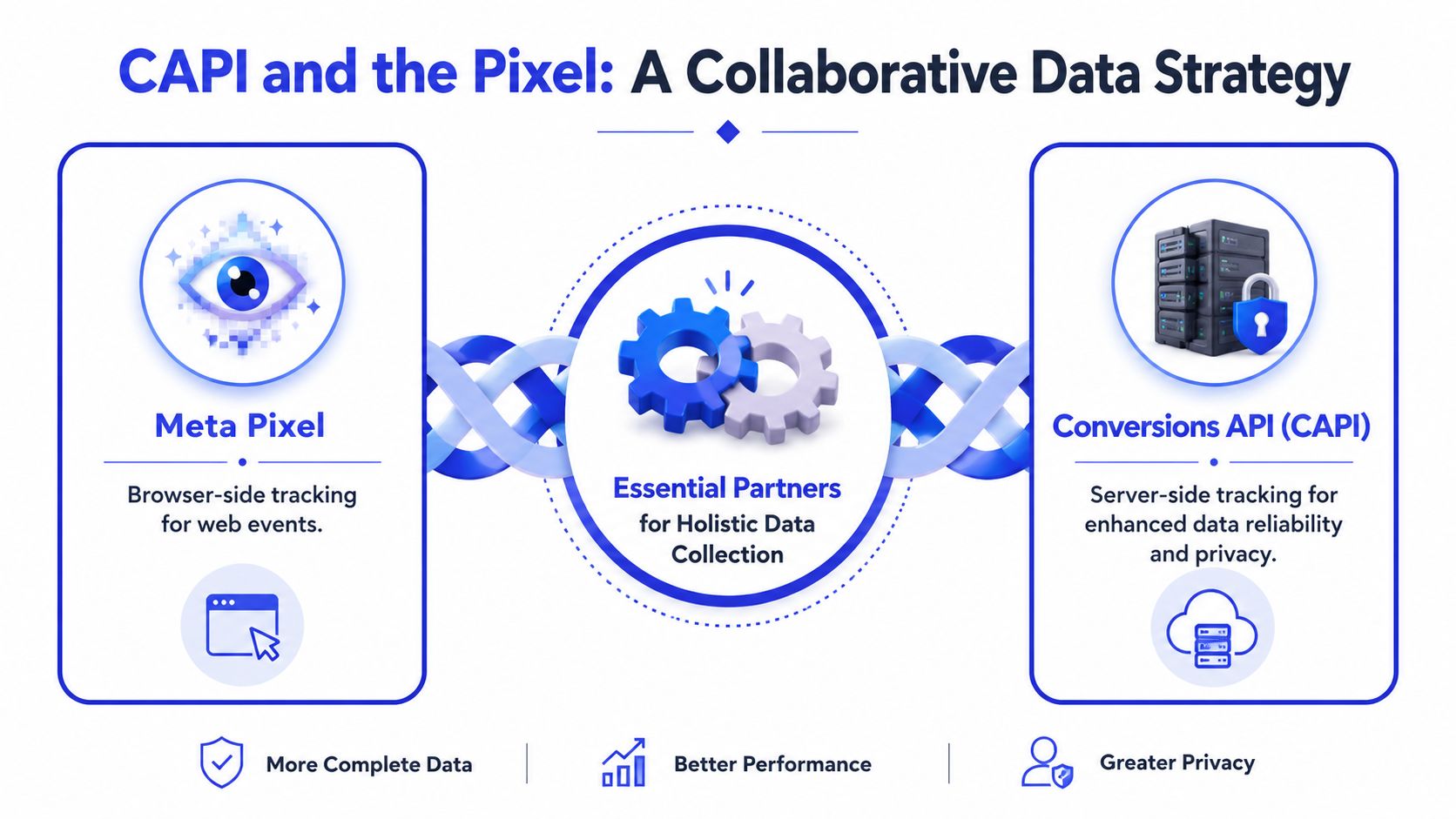
CAPI and the Pixel A Collaborative Data Strategy
The easiest way to explain this to a cross-functional team is with a car analogy. The Meta Pixel is the dashboard. It shows what the browser can observe in real time. Meta Conversions API is the engine's diagnostic port. It sends deeper system data directly from the server.
Neither one replaces the other. Together, they create a more resilient measurement setup.
Why dual tracking works better than choosing one
Teams sometimes ask whether they should remove the Pixel once CAPI is live. That's usually the wrong move. Browser signals still matter for visibility into web interactions, and server-side signals help recover what the browser misses.
If someone on your team needs a refresher on browser-side tracking basics, this guide on what pixel tracking means in practice is a useful primer before you map out your CAPI setup.
Meta requires the Pixel and CAPI to send the same events at the same time so the platform can deduplicate them correctly, according to CustomerLabs' explanation of shared-event requirements. That requirement matters most in enterprise environments where several people may touch campaign setup, site changes, and reporting logic. If the browser says “Purchase” and the server sends something else, your reporting quality drops and teams start troubleshooting the wrong problem.
What each side contributes
Here's the practical difference your team should keep in mind:
| Component | What it does best | Where teams get into trouble |
|---|---|---|
| Meta Pixel | Captures browser-side activity on site pages and front-end interactions | Missed events from blockers, browser limits, or privacy settings |
| Meta Conversions API | Sends server-side events directly to Meta with stronger control over data flow | Weak implementation discipline, poor naming standards, or missing coordination with Pixel events |
That distinction helps with team ownership too. Media buyers usually care about event availability and attribution reliability. Marketing ops cares about standardization. Engineering or implementation partners care about transport, payload quality, and error handling.
Pixel-only setups tend to look fine until a team starts comparing platform reporting against backend outcomes. That's when the blind spots become obvious.
How collaboration affects deduplication
Deduplication sounds technical, but it's really a process issue. Your browser and server events need to represent the same business action in the same taxonomy. If your paid social manager uses one naming pattern, your developer uses another, and your analytics team maps events differently in dashboards, you won't have a clean system.
For collaborative ad management teams, the better approach is to define event ownership before launch:
- Marketing ops owns the event dictionary
- Developers or implementation partners own transport
- Media buyers validate event availability inside Ads Manager
- Analytics checks alignment with downstream reporting
That division of labor keeps CAPI from becoming a one-time implementation that slowly degrades after the initial rollout.
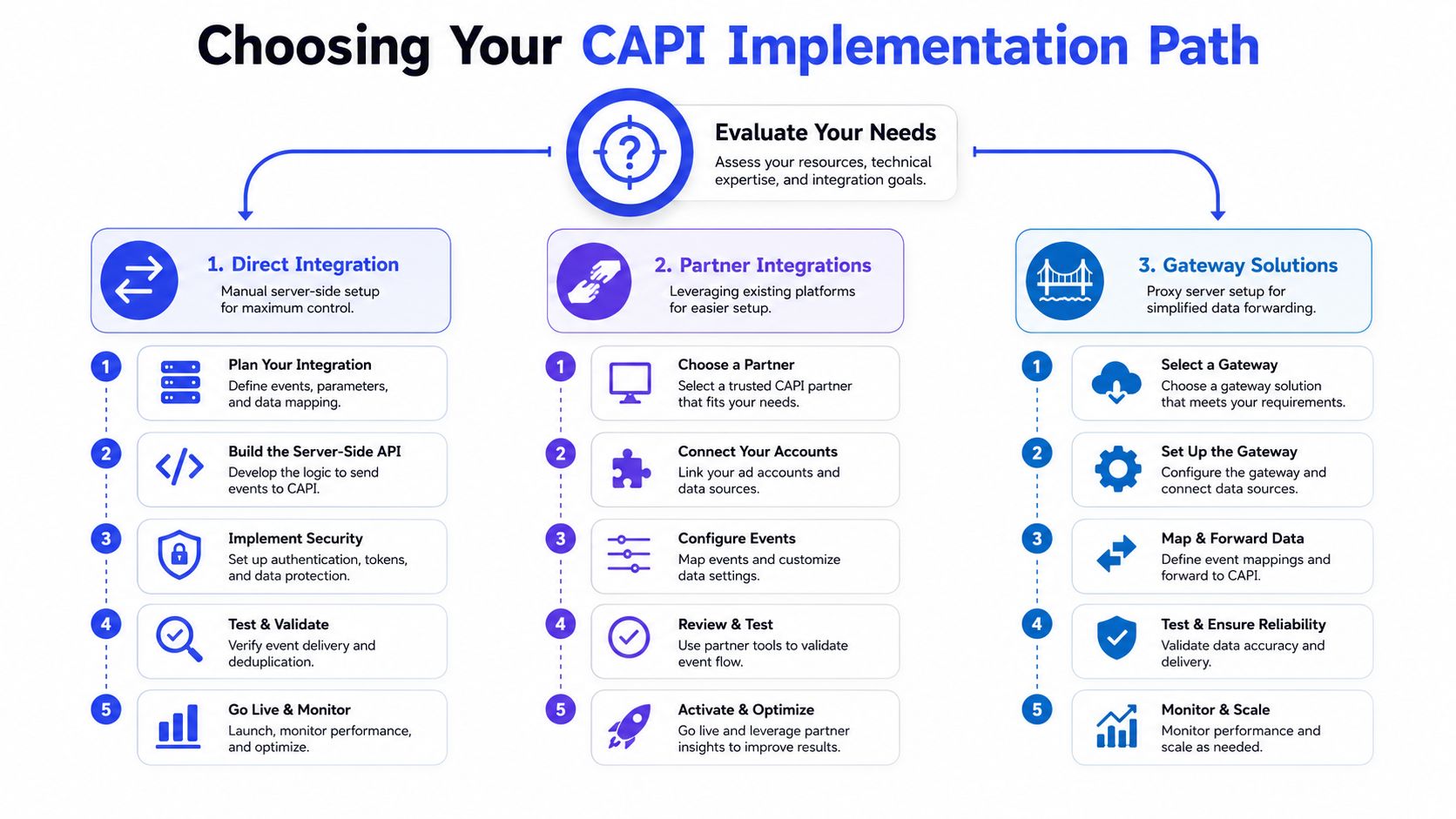
Choosing Your CAPI Implementation Path
Organizations don't fail because CAPI is impossible to set up. They fail because they choose an implementation route that doesn't match their resources, governance needs, or operating model.
There are three broad paths: partner integrations, a Google Tag Manager server-side setup, or direct API integration. The right choice depends less on theory and more on who will maintain it six months from now.
Partner integrations are fast but often shallow
Native platform integrations are attractive because they reduce setup friction. For lean teams, that's a valid starting point. The problem is that “enabled” doesn't always mean “fully capable.”
The Shopify example is the one I'd flag to any enterprise eCommerce team. As discussed in this Shopify community thread on Meta CAPI setup issues, Shopify's native Meta app can lack first-party domain configuration, which can lead to blocked requests. That same discussion notes that high event match scores, including a reported 9.3, often require a stronger setup using Google Tag Manager for both browser and server-side tracking.
That's the gap a lot of generic CAPI guides miss. Teams assume the official app gives them full coverage. Then performance plateaus, match quality stays soft, and nobody realizes the implementation is the bottleneck.
GTM server-side setup gives most teams the best balance
For many enterprise teams, server-side Google Tag Manager is the most practical middle ground. It gives marketing operations more visibility and more control than a native app, without requiring the heavier lift of a full direct integration.
This path works well when your team needs:
- Shared governance: Marketing ops can document and review changes instead of relying on one engineer's memory.
- Better extensibility: You can align event handling across tools more cleanly.
- Cross-functional collaboration: Developers, paid social leads, and analytics can each work on the same implementation from their own lane.
If your team is already dealing with the complexity of managing Facebook advertising API parameters across systems, you already know the primary challenge isn't just sending data. It's maintaining consistency once campaigns, catalogs, audiences, and reporting workflows all start interacting.
Direct API integration offers the most control
A direct integration makes sense when your business has unusual requirements, stricter governance, or a proprietary data environment. It gives you the highest degree of control over payloads, business logic, and orchestration.
It also creates heavier organizational demands. Someone has to own documentation, token management, regression testing, and release coordination. If that ownership isn't explicit, direct integration becomes fragile.
| Path | Best for | Main trade-off |
|---|---|---|
| Partner integration | Teams that need speed and low lift | Limited control and hidden gaps |
| GTM server-side | Teams that want flexibility with manageable complexity | Requires process discipline and technical familiarity |
| Direct API integration | Organizations with strong engineering support and strict control needs | Higher maintenance burden |
The decision criteria that matter most
Don't choose based on setup speed alone. Choose based on the long-term operating model.
Ask these questions in one room with marketing ops, engineering, analytics, and paid social present:
- Who owns event definitions?
- Who approves changes once campaigns are live?
- Who monitors data quality when attribution shifts?
- Which team will troubleshoot when a platform update breaks the setup?
Those questions usually reveal the right implementation path faster than any feature checklist.
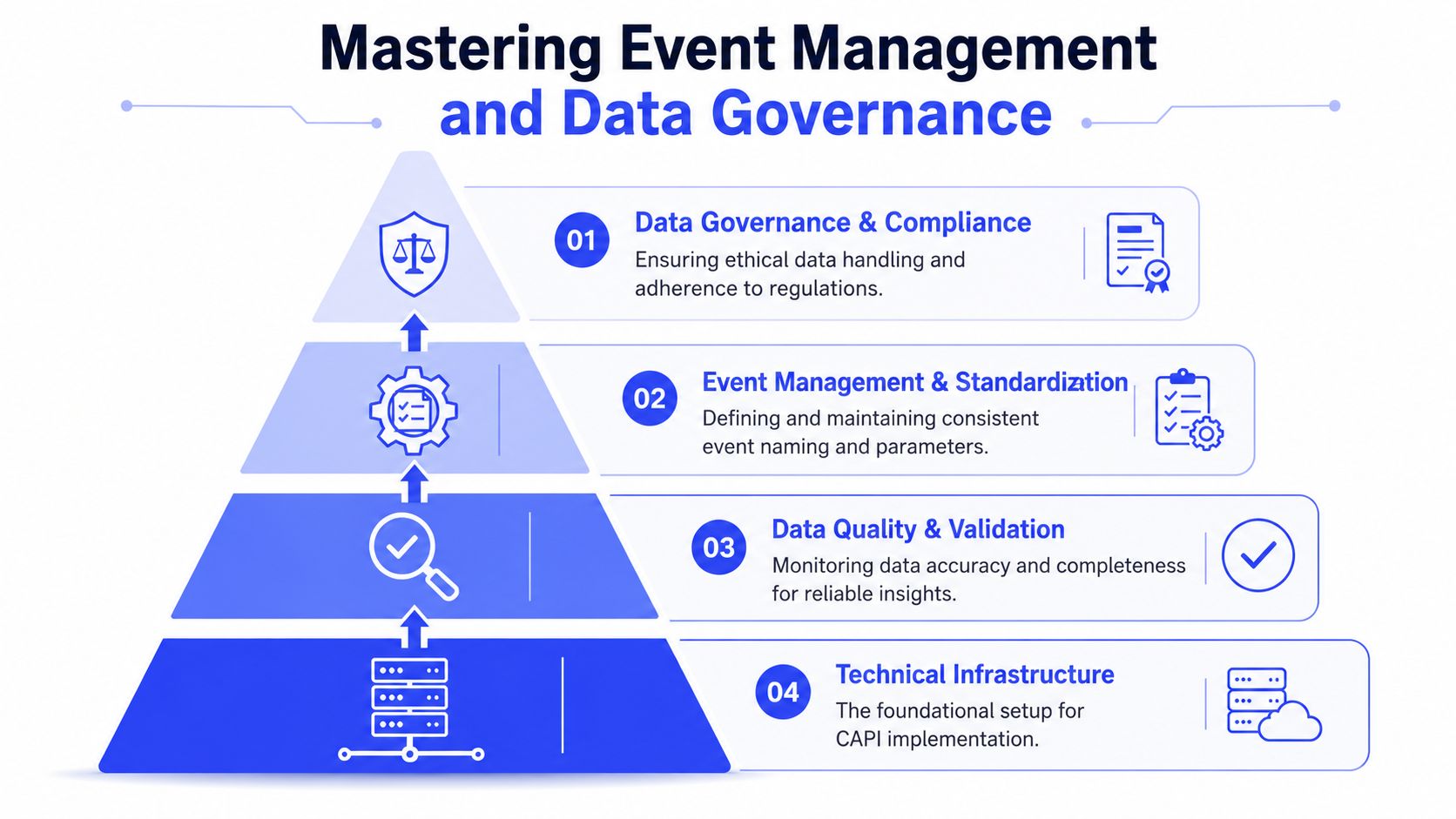
Mastering Event Management and Data Governance
CAPI breaks down when teams treat event management like a technical afterthought. The API may be server-side, but the key determinant of quality is governance. If naming, permissions, payload rules, and validation workflows are inconsistent, your team won't trust the data long enough to benefit from it.
The benchmark to pay attention to is Event Match Quality. According to DinMo's guide to Meta Conversions API effectiveness, Meta requires an EMQ score over 70% for CAPI to be effective. DinMo also notes that maintaining that level depends on standardized event naming and inclusion of high-priority parameters like email or phone number.
Standardization beats heroics
I've seen teams burn weeks debugging what looked like a transport problem when the underlying issue was inconsistent naming across properties. One business unit used “Purchase,” another used a custom variation, and a third sent duplicate semantics under different labels. The implementation wasn't broken. The operating model was.
A clean governance model usually includes:
- A controlled event dictionary: Define approved standard events and when custom events are allowed.
- Parameter rules: Decide which identifiers are required, optional, or prohibited.
- Ownership by role: Marketing ops owns standards, engineering owns implementation, analytics validates downstream reporting.
- Change management: New events shouldn't go live because one campaign manager needed them that afternoon.
Governance rule: If two teams can name the same conversion differently, they eventually will. Write the rulebook before you scale the account structure.
Deduplication depends on process discipline
Meta requires matching browser and server events for accurate deduplication, as covered earlier. In practice, that means your team needs a repeatable way to generate and preserve the event relationship, including the event_id logic that links the browser-side and server-side versions of the same action.
Collaborative ad management either works well or falls apart. Paid social teams often assume implementation teams have deduplication covered. Implementation teams assume campaign teams won't change event behavior without notice. Both assumptions cause problems.
A better enterprise workflow looks like this:
| Team | Primary responsibility |
|---|---|
| Marketing operations | Event schema, approval workflow, QA checklist |
| Engineering or implementation partner | Event transport, server logic, token handling |
| Analytics | Validation against source-of-truth reporting |
| Paid social | Platform-side testing and campaign impact review |
Monitoring has to be routine, not reactive
Events Manager should be part of weekly operating rhythm, not a tool you open only when results look strange. Review event counts, check for mismatches between browser and server trends, and watch for sudden drops in match quality after site changes or CRM updates.
For teams already investing in broader data infrastructure, the mindset behind Databricks data quality and observability is useful here. The point isn't to turn paid social tracking into a data engineering science project. It's to apply the same observability discipline to marketing signals that you already expect elsewhere in the business.
If your reporting workflows still depend on scattered exports, this overview of Facebook Ads reporting challenges for scaling teams helps frame why governance and observability belong together.
The practical signs of a healthy CAPI setup
A healthy setup is usually boring. That's a good thing.
Look for these signals:
- Teams use the same event language across accounts
- New launches follow a documented QA path
- Access to tokens and setup changes is restricted
- Reporting disputes are shorter because everyone trusts the underlying event logic
When those conditions are in place, CAPI stops being a recurring fire drill and starts acting like dependable infrastructure.
Navigating Privacy Consent and Compliance
Server-side tracking doesn't remove privacy obligations. It increases the need for precision because your team has more control over what gets sent, when it gets sent, and how that data is classified.
That matters most in large organizations where legal, compliance, CRM, analytics, and paid media all influence implementation decisions. If even one team assumes someone else has handled consent logic or data restrictions, you can end up sending events that should never have left your system.

Consent has to travel with the event strategy
A compliant setup starts with a simple rule. Your server-side capability shouldn't outrun your consent model.
That means the people managing your CMP, site tagging, CRM flows, and Meta event configuration need shared rules for what can be sent under which consent state. In mature teams, this gets documented as a decision matrix rather than left to interpretation.
A workable internal checklist often includes:
- Consent mapping: Define which event categories can be sent based on user permission state.
- Hashing and handling: Make sure customer identifiers are handled according to platform requirements and internal privacy policy.
- Restricted routing: Separate approved event payloads from fields that should never be forwarded.
- Review cadence: Recheck privacy assumptions after policy updates, site redesigns, and CRM changes.
Healthcare and wellness teams need extra caution
The biggest compliance mistakes usually come from teams that assume better tracking is always better. It isn't.
As outlined in Penrod's review of Meta data restrictions for healthcare and wellness marketers, Meta's restrictions for advertisers categorized under Health and Wellness can sharply limit how CAPI is used for PHI-sensitive events. Penrod notes a concrete example. Labeling an event “colonoscopy_scheduled” can create policy risk. For teams in those categories, codenamed events and stricter data-sharing controls aren't edge-case precautions. They're baseline safeguards.
If your event name reveals sensitive health context, your naming convention is already part of your compliance risk.
What compliant collaboration looks like
The privacy-safe version of CAPI is usually less about one clever technical fix and more about role clarity. Legal defines boundaries. Marketing ops translates those boundaries into implementation standards. Engineering enforces them in data flow. Paid media works inside those approved event structures.
This walkthrough gives a useful visual overview of the moving parts teams need to align around:
For enterprise teams, the actual goal isn't maximum event volume. It's sending the right events, with the right permissions, under the right controls, in a way the whole organization can defend.
Automating CAPI Deployment and Optimization with Koast
Once a team has dealt with implementation choices, event governance, and compliance controls, one operational problem remains. Consistency is hard to maintain across many ad accounts when launches are still manual.
That's where process automation matters more than another tracking tutorial. High-volume teams need a way to keep campaign structure, creative workflows, and permissions aligned so CAPI-dependent campaigns don't drift from one account to another.
What operational maturity looks like
The teams that manage CAPI well usually do four things consistently:
- Centralize launch standards: Templates reduce one-off campaign builds that break naming and QA rules.
- Use role-based permissions: Content, media, and admin access shouldn't be mixed casually.
- Keep asset workflows unified: Shared creative libraries prevent local copies and conflicting versions.
- Monitor performance from one place: Teams move faster when they aren't jumping between tabs to diagnose issues.
Those are the same workflow problems covered in broader guides to marketing automation integration for modern ad teams. The takeaway is straightforward. Tracking quality depends on execution quality.
Why this matters for collaborative ad management
Enterprise growth teams don't just need campaigns to launch. They need campaigns to launch in a repeatable way across brands, regions, business units, and stakeholders. When launch mechanics are inconsistent, CAPI event standards usually degrade with them.
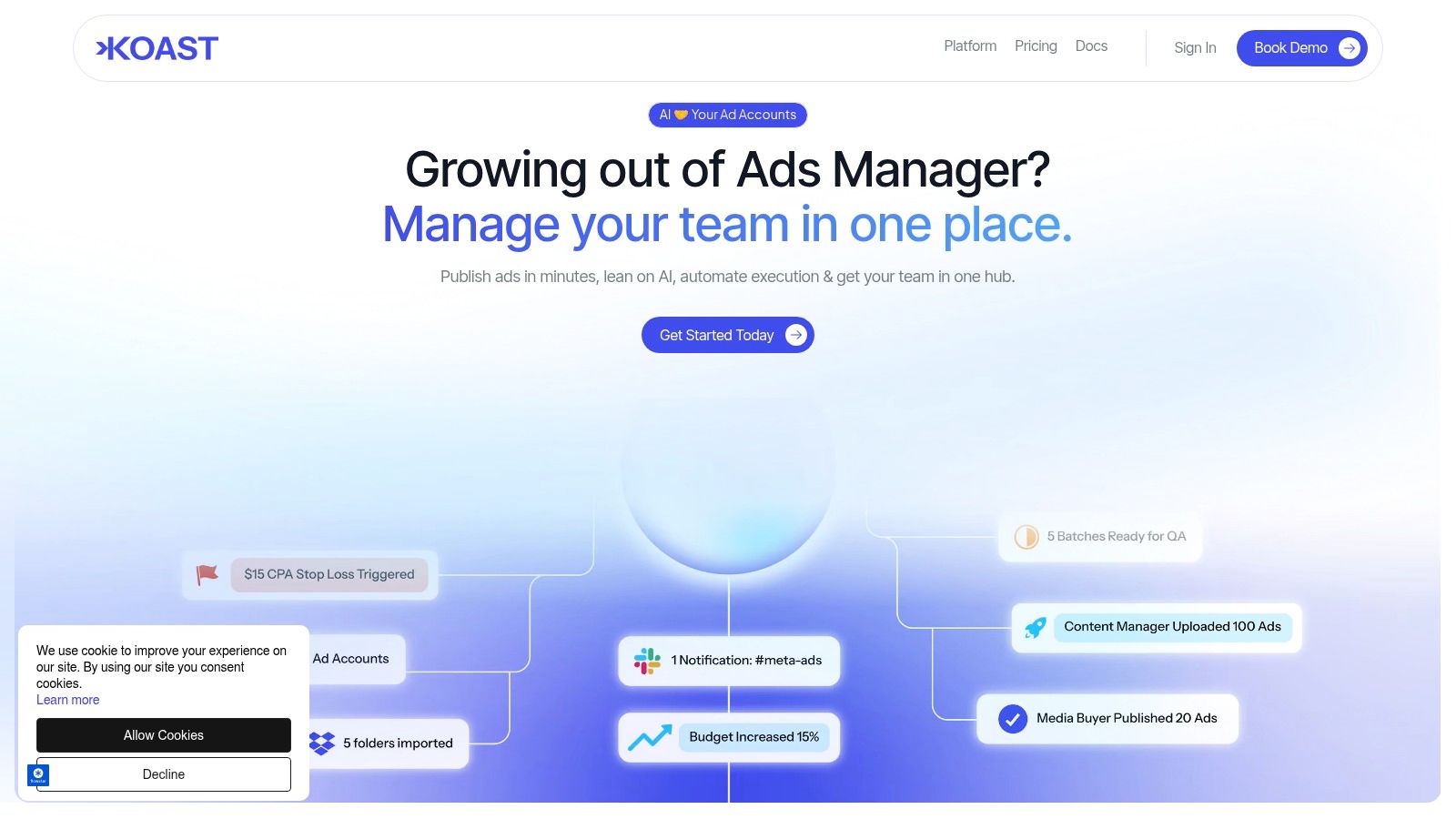
Koast is built around that operational reality. Its AI-driven workflow, centralized assets, role-based permissions, activity logs, and cross-account execution model fit the way large marketing teams work. That matters because the best CAPI strategy still underperforms if your team can't enforce standards at launch and during optimization.
FAQ Your CAPI Questions Answered
How do I debug a low Event Match Quality score
Start with the inputs your team controls. Check that standard event names are applied consistently, required customer identifiers are formatted correctly, and the same action is being described the same way across web, app, CRM, and server-side systems.
Then review browser and server event alignment in Events Manager. Low EMQ usually points to governance gaps, inconsistent field mapping, or handoff issues between teams, not just a broken integration.
Can CAPI track offline conversions like phone calls or in-store sales
Yes, if your team can get the operational process right.
CAPI can send offline and post-lead outcomes into Meta, including qualified leads, phone sales, booked appointments, and in-store purchases. The hard part is not whether Meta accepts the event. The hard part is making sure sales, CRM, data, legal, and paid media agree on event definitions, timing, permissions, and upload rules before the data starts flowing.
What is the practical impact of attribution delay with CAPI
Attribution delay affects reporting discipline more than strategy. Early numbers can be incomplete, so teams that adjust bids or budgets too quickly often create noise for themselves.
Set a review cadence. Define who can approve major changes. Keep one reporting source as the working reference so channel managers, analysts, and leadership are not reacting to different snapshots of performance.
How do I handle deduplication if the Pixel fires before the server event
Firing order is usually not the problem. Shared identifiers and consistent event mapping are what matter.
If the Pixel and CAPI event represent the same conversion and pass the values Meta needs for deduplication, Meta can treat them as one action instead of two. This is why implementation cannot sit with one team alone. Engineering, marketing ops, and whoever owns the tag setup need to review the event_id logic together before launch and again after any site or app change.
What's the biggest mistake enterprise teams make with Meta Conversions API
They assign CAPI to one technical owner and assume the job is done.
At scale, CAPI is a cross-functional operating model. Someone has to own event standards. Someone has to approve schema changes. Someone has to control access, QA, and release timing. Without that structure, data quality slips, reporting disputes increase, and paid media teams end up optimizing against partial or inconsistent conversion signals.
Koast helps enterprise growth teams turn Meta campaign execution into a controlled, repeatable workflow. If your team is juggling multiple ad accounts, shared assets, role approvals, QA, and optimization at the same time, Koast gives you one place to launch faster, keep governance intact, and reduce the manual work that makes scaling Meta campaigns harder than it should be.