

Marketing Automation for Agencies: A 2026 Playbook
Marketing automation for agencies explained with a step-by-step playbook for readiness, workflows, governance, and KPIs that enterprise teams trust.
Marketing automation for agencies explained with a step-by-step playbook for readiness, workflows, governance, and KPIs that enterprise teams trust.
You probably know the feeling. A client channel is quiet until 8:40 a.m., then three Slack threads light up because reporting is late, a creative file is missing, and someone changed a budget without telling the buyer. In a multi-account agency, that kind of morning is usually a systems problem, not a people problem.
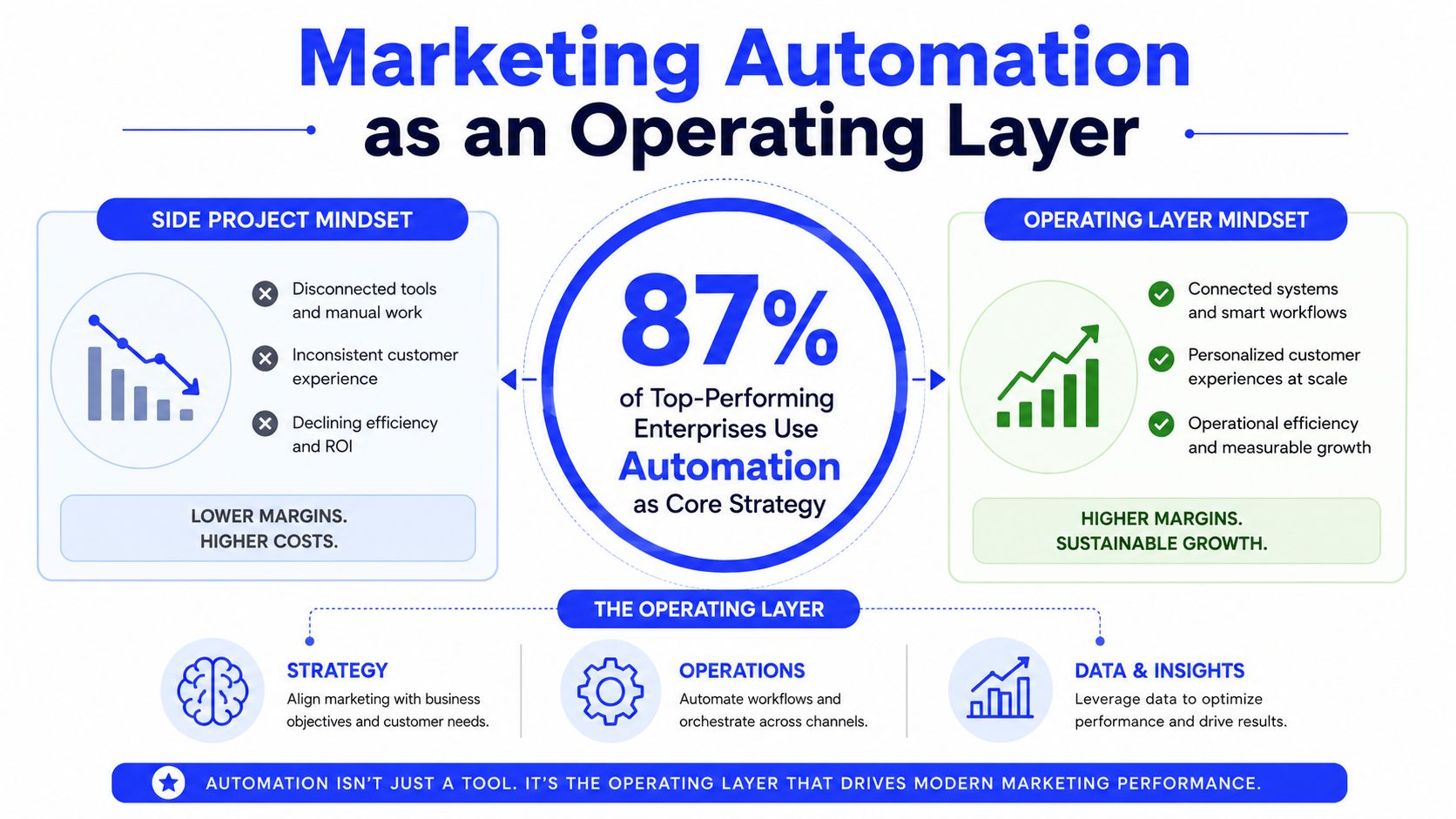
Marketing automation for agencies only pays off when it stops being a stack of tools and starts acting like an operating layer. The agencies that get this right don't automate everything, they govern the repeatable work, protect approvals, and keep humans focused on exceptions, strategy, and client trust.
One 2026 industry overview says 95% of enterprise marketing teams run at least one automation platform, and 78% of mid-market B2B organizations do too, which tells you this is no longer a niche capability or an experimental add-on. The same adoption pattern shows up more broadly, with 56% of companies already using marketing automation and 40% of B2B companies planning to adopt it, according to the same overview of market adoption emailmonday's 2026 marketing automation statistics overview.
That matters for agencies because the baseline has moved. Manual campaign handling is now the slow path, especially when teams have to coordinate lead routing, reporting, segmentation, and campaign execution across many accounts. When automation becomes infrastructure, the key question isn't whether to buy software, it's whether your agency can operate cleanly enough to use it without creating more chaos.
The warning signs usually show up in operations before they show up in performance dashboards. Reporting turns into a fire drill, approvals sit in inboxes, creative handoffs stall because no one owns the next step, and budget overruns get caught after the money is gone. Those aren't isolated failures, they're signs that the team is compensating for missing workflow design.
Before you buy anything, run a readiness inventory. List every recurring task, every account handoff, every approval point, and every report that gets rebuilt from scratch. Then mark the places where one person has to remember what another person was supposed to do, because that's where automation will either help or break.
Practical rule: if the team can't explain who owns a step, what triggers the next step, and how exceptions are handled, automation will only make the failure faster.
For a related perspective on how AI changes this operating model, see Koast's analysis of AI's impact on marketing automation for agencies.
The quickest way to waste automation spend is to start with tools instead of work. A 2026 agency benchmark says teams usually uncover 15-30% SaaS redundancy during a tool inventory and underestimate recurring workload by 40-60% before they measure it agency automation benchmark report 2026. That doesn't mean people are careless. It means recurring work is usually spread across inboxes, docs, and platform tabs until someone forces it into view.
Start by mapping every tool, then time recurring work for two weeks. Capture who does each step, where handoffs happen, and how often the same file, report, or approval gets recreated. Once that's visible, you can tell whether you need automation, process redesign, or deletion.
Use a simple decision rule for each item. If the task is repetitive, high-volume, and low strategic value, it's a candidate for automation. If the task is repetitive but broken, redesign it first. If nobody can explain why the task exists, delete it.
| Input | Owner | Decision Rule |
|---|---|---|
| Recurring reporting task | Ops lead | Automate if the format repeats and the source data is stable |
| Client approval step | Account manager | Redesign if approvals arrive in unclear channels |
| Creative handoff | Creative lead | Automate if the same assets move through the same sequence |
| Billing or AR update | Finance lead | Automate if the trigger is clear and the exception path is defined |
| Duplicate SaaS tool | Operations director | Remove if another system already covers the same job |
Pick one 90-day verification target, and don't move it. It can be reporting hours, AR days, win rate, or retention. The point is not to prove every workflow at once, it's to prove one operational outcome with enough discipline that leadership can tell the difference between a genuine improvement and a nice-looking demo.
If a tool shortlist doesn't clearly support that target, it's too early. Agencies often buy platforms that look efficient on paper but don't touch the bottleneck that's hurting margin. In practice, that usually means another login, another permission model, and another place for work to stall.
The architecture question matters more than the brand question. A layered stack, an integrated suite, and an agency-native platform each solve a different problem, and the wrong choice usually shows up as governance debt later. The best fit depends on whether your team needs flexibility, central control, or a shared workspace that already matches multi-account ad operations.
A useful way to evaluate the options is to compare them on the things agencies feel every day, not the marketing copy. Multi-account control, role-based permissions, shared asset libraries, automation frequency, and rollout cost tell you more than feature lists do. That's because agencies don't fail from missing one feature, they fail when the stack can't hold together under client-specific permissions and approval chains.
| Criterion | Standalone Tools | Integrated Suites | Agency-Native Platforms |
|---|---|---|---|
| Multi-account control | Often fragmented across tools | Stronger centralization, but more rigid | Usually designed for portfolio execution |
| Role-based permissions | Varies by vendor and connector | Better than point tools, but inconsistent across modules | Typically built into the workspace model |
| Shared asset libraries | Separate libraries in each system | One library, but not always campaign-aware | More likely to connect assets to live workflows |
| Automation frequency | Depends on connectors and webhooks | Stable for common use cases | Better for repeated launch and optimization cycles |
| Rollout cost | Lower entry, higher integration effort later | Medium to high implementation burden | Usually faster to operationalize in agencies |
Whatever architecture you choose, build around the lifecycle capture → nurture → book → close → retain. Assign one owner for the logic, one for the build, and one for validation on every step. That separation sounds simple, but it's what keeps a campaign launch from becoming an undocumented dependency chain.
In enterprise environments, architecture also has to support shared logs, templates, and permissions. That's the difference between a stack that works for one team and a system that holds up across multiple accounts. If the platform can't show who changed what, when it changed, and how to roll it back, it's not mature enough for high-trust agency work.
For practical workflow patterns, automation workflow examples by Nerdify are useful as a reference point before you standardize your own templates.
A grounded implementation path for teams that want a governed ad-ops workspace is to use a platform like Koast, alongside the rest of the stack, when the priority is multi-account launch, permissioned collaboration, and repeatable optimization rather than isolated point automation.
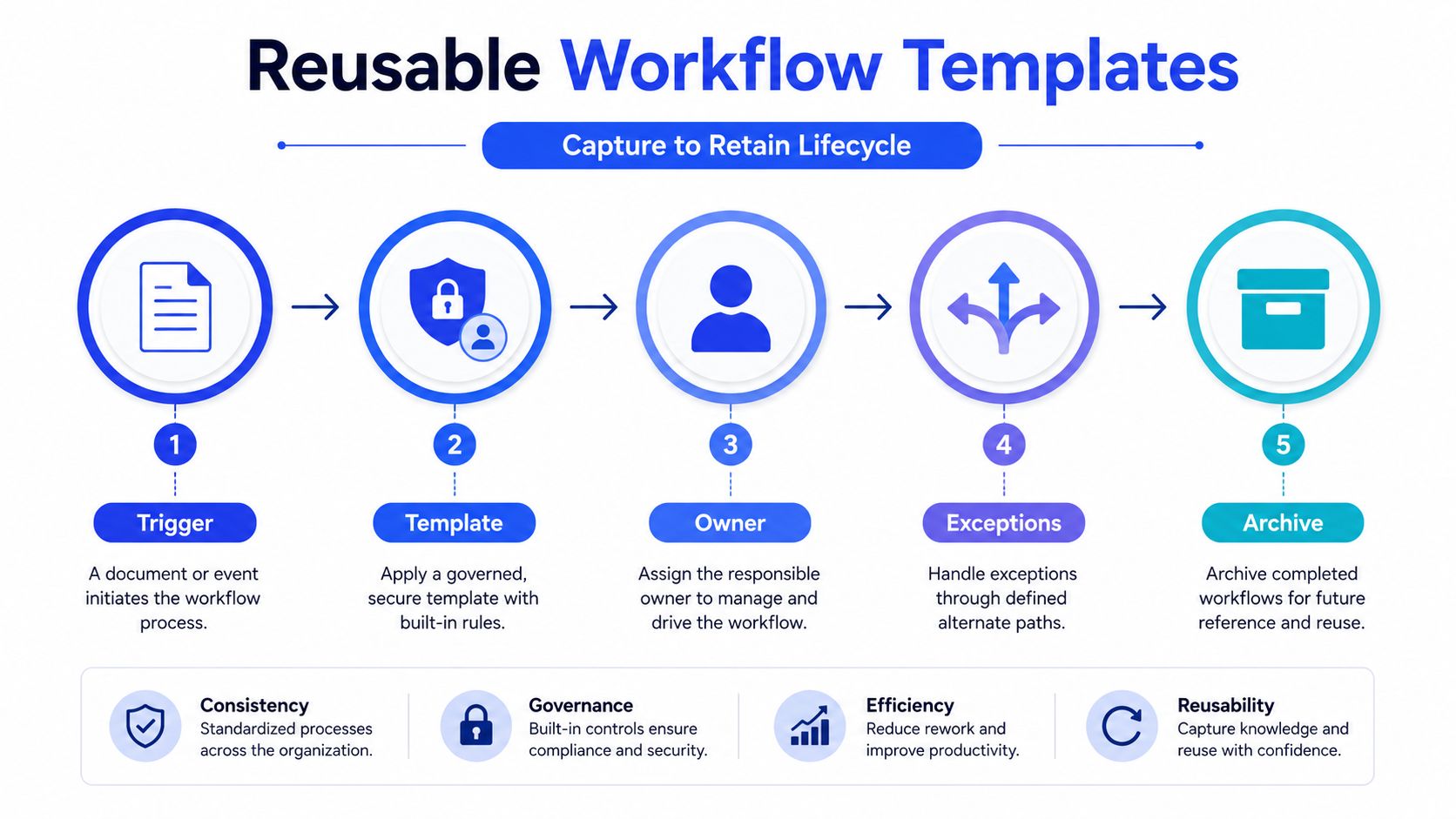
The agencies that scale automation well don't build a clever workflow once and hope it survives contact with five more clients. They turn it into a governed template. That shift matters because onboarding, creative intake, approvals, and asset collection rarely move in a perfect line, and a brittle workflow can fail the first time a client changes one small detail.
Start with exact triggers such as contract signed, payment received, form submitted, or stage updated. Then define what happens next, who is responsible, and where a manual override lives. A reusable template should make it obvious when the system runs on its own and when a human needs to step in.
Keep the exception path explicit. If the client sends creative late, if the legal review changes copy, or if a stakeholder requests a budget shift, the workflow should route to a known owner instead of dumping the task into a shared inbox. That's how you keep the template reusable across accounts without making it fragile.
A workflow is only reusable when the exception path is reusable too.
Versioning matters as soon as the template is used by more than one account. Document the baseline, record every exception, and create a rollback note so the team can restore a previous version without guessing. That makes audits easier and keeps one client's edge case from turning into everyone's default process.
For a practical look at how workflows are shaped in agency environments, Koast's content approval workflow guide is a useful companion reference.
The difference between template-driven and one-off automation shows up fastest in ad operations. A team can reuse the same targeting and copy structure across many client accounts only if the template includes role-based controls, asset validation, and a clear owner for each stage. Without that, the template becomes another handoff risk instead of an efficiency gain.
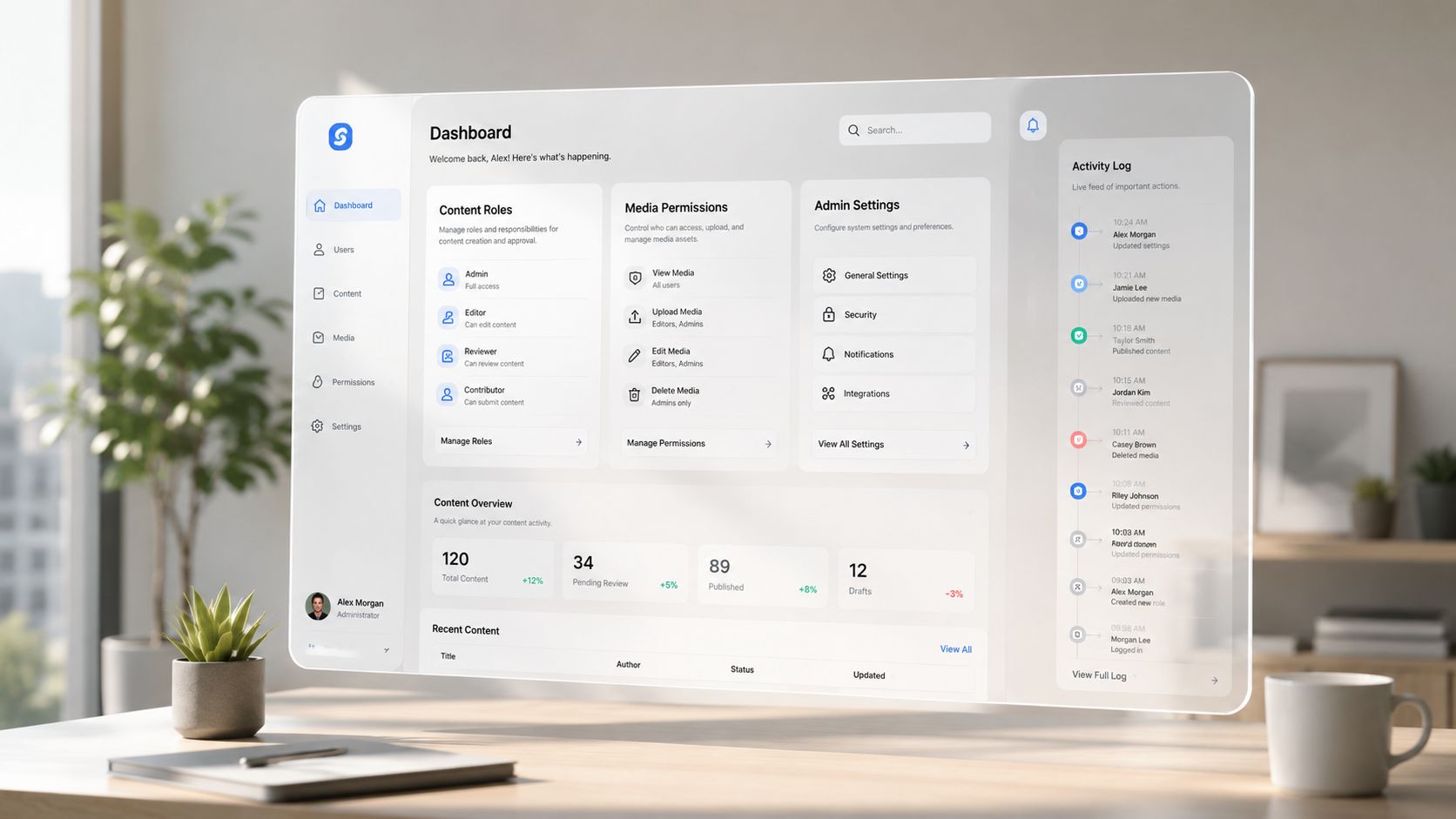
Governance is what keeps automation safe once more than one team starts touching it. Role-based permissions for content, media, and admin users protect the work from accidental changes, and detailed activity logs give clients a clear record of what changed and why. In agency settings, that visibility matters because trust usually breaks when nobody can explain the last edit.
Creative review, budget sign-off, and intra-day change windows should not all sit in the same permission bucket. Someone on the creative team may need access to assets but not budget settings. A media buyer may need to move spend, but only within a defined range and only during a certain window. Admins should handle structure, not day-to-day tactical edits.
A centralized creative library also reduces version drift. If every buyer uploads their own file, the team ends up with duplicate assets, inconsistent naming, and no easy way to tell which version is approved. A shared library makes it much easier to attach the right asset to the right template and keep a clean audit trail.
The governance artifacts worth having before any rule goes live are straightforward:
The hard part isn't writing the policy. It's making sure the policy matches the way the team works. Enterprise growth teams need approval flows that respect creative, media, and operations as separate functions, because those teams solve different problems and move at different speeds.
A mature setup also routes alerts to the right owner rather than a shared inbox. That sounds like a small detail, but it's the difference between a fast correction and a thread that grows legs. If a budget rule fires, the buyer should know. If a creative rule breaks, the designer should know. If the change affects the client, the account lead should know first.
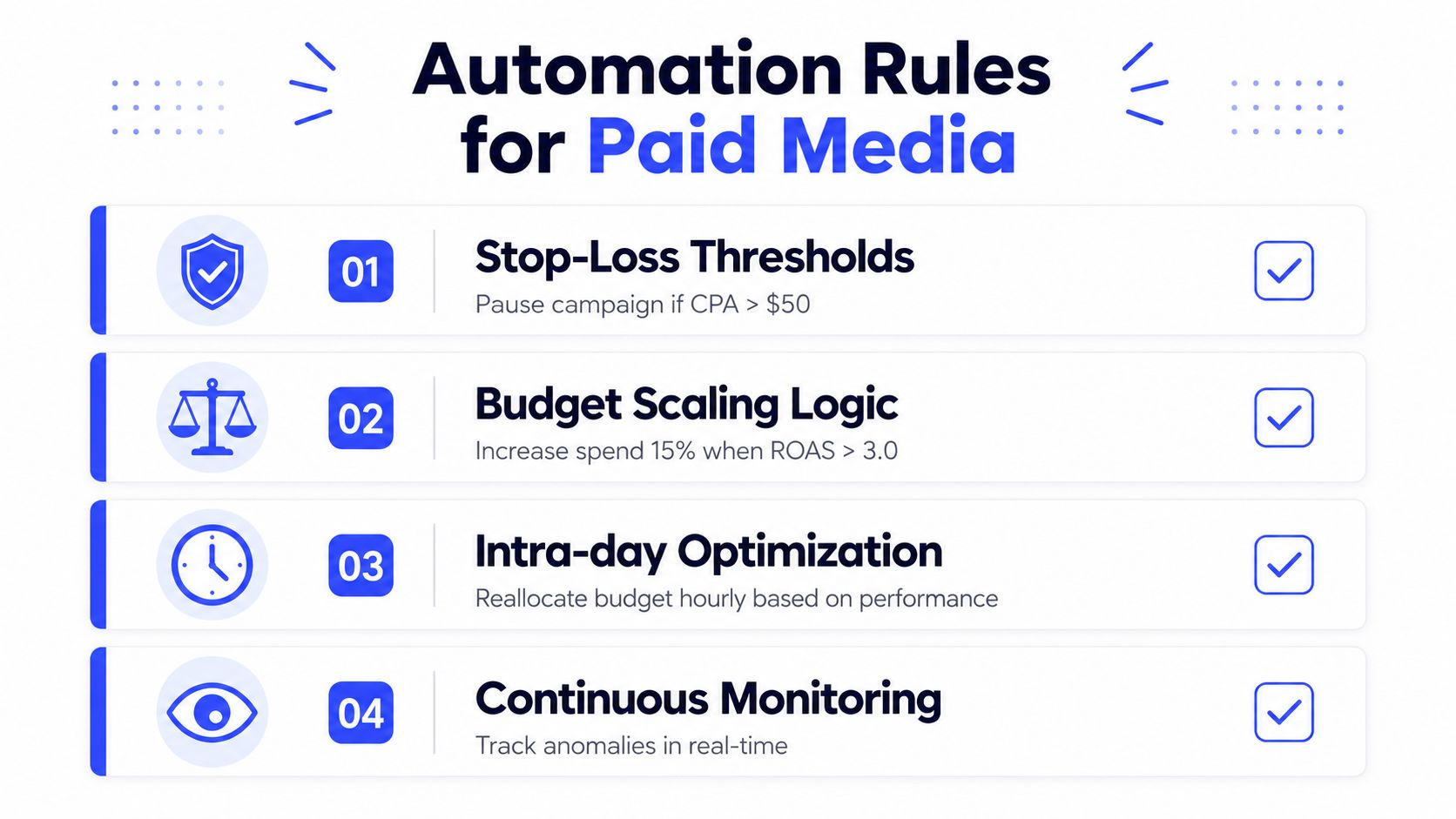
The best automation rules in paid media are boring in the right way. They protect spend, keep the team aligned, and react quickly enough that a bad test doesn't turn into a bad week. A 2026 agency-style rollout approach for rules is to automate the highest-time, most repeatable, and lowest-strategic-value work first, then validate it before scaling it across accounts 2026 agency playbook.
Stop-loss logic should pause underperformers before they burn too much budget, but it needs a fallback path when the data is noisy or the platform lags. Budget scaling should reward winners without creating runaway spend, and intra-day optimization should move money only when the performance shift is real enough to justify a change. Continuous monitoring closes the loop by flagging anomalies before a buyer notices them manually.
A representative rollout looks like this. The team pilots one rule set in one account family, watches the alerts for a full cycle, then compares the results to a manual control group. During that pilot, media, creative, and operations all sign off on what counts as a valid pause, what counts as a valid scale, and who can override the rule if the client wants a temporary exception.
Practical rule: if a rule can't be explained to the account lead in one sentence, it isn't ready to run unattended.
For agencies and enterprise growth teams, five-minute automation frequency is useful because it lets the system send updates and rebalance spend quickly without forcing the buyer to sit in front of the dashboard all day. The point isn't speed for its own sake, it's keeping the team synchronized when performance changes mid-flight and the creative or audience mix needs a fast adjustment.
Koast supports these kinds of rules through its automations and multi-account workflow model, including bulk ad launching and intra-day updates from a shared dashboard. That kind of setup is most useful when the agency wants governed execution across many Meta accounts instead of a pile of separate ad tabs.
QA matters here more than feature depth. Dry runs, rule simulations, and human override checks should happen before anything touches live spend. If the rule can't survive a pilot with real team review, it's not production-ready.
A staged rollout is what keeps automation from turning into a giant internal change request. NetSuite recommends starting with a small pilot campaign in one region with a small team, then aligning management and sales stakeholders with marketers so everyone understands the short- and long-term goals, such as leads, pipeline, retention, or sales lift NetSuite's marketing automation guidance. That approach works because it gives the agency one place to learn before the workflow spreads.
Early on, the KPI should be setup quality and operational clarity. Later, it should shift to efficiency and throughput. By day 90, the team needs one clean answer to a simple question, did the workflow improve the metric you said mattered?
The operational checklist should stay short enough that leadership will use it:
For reporting-heavy teams, Koast's reporting automation guide is worth keeping close because reporting is usually where agencies feel the first operational lift.
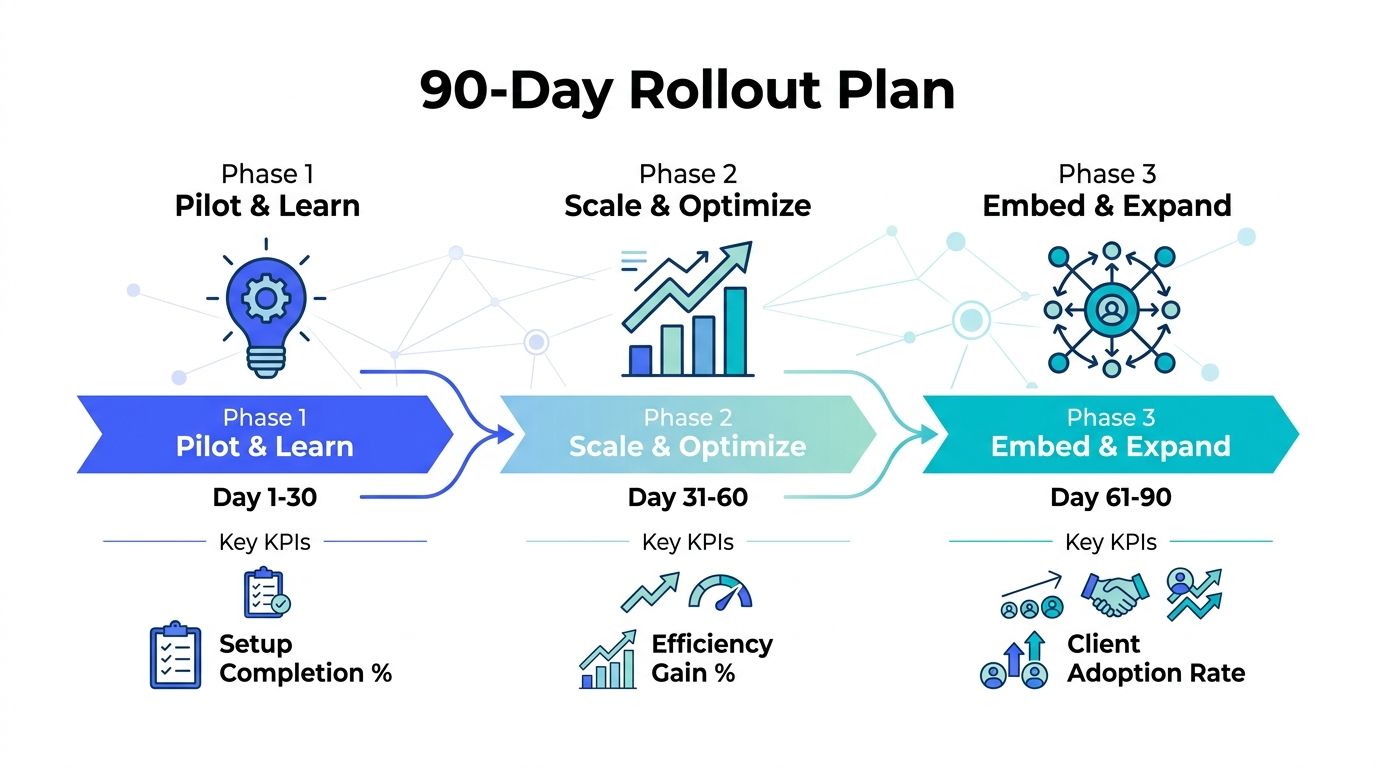
Koast's Agency, Growth, and Enterprise tiers map naturally to that rollout shape, from early multi-account execution through more governed, higher-volume automation. If your agency is ready to replace scattered ad ops with a system built for shared assets, role-based control, and measurable rollout discipline, visit Koast and see how the platform fits your team's workflow.
Your next 30 ad variations are on us. Test drive AdCopy AI today for no charge.


Book a call to have our team launch your first ads with you
.svg)

.png)

Integrate Meta and begin publishing ads in moments with a free trial of Koast


.svg)

