Your Slack is filling up with screenshots. A paid social manager drops a competitor ad into the channel. Creative asks whether the hook is actually working or just loud. The growth lead wants three new concepts by tomorrow, but nobody wants to launch another round of copycat tests that look smart in a meeting and die in delivery.
That's where a disciplined Meta Ad Library search process stops being “competitive spying” and starts becoming an operational advantage. Good teams don't use the library to swipe one ad. They use it to build a shared research system that helps media buyers, creatives, analysts, and approvers move faster with less guesswork.
The difference is usually process. One person searching random brand names won't give an enterprise team much. A coordinated workflow with standard filters, shared findings, and clear hypotheses will.
Table of Contents
- Beyond Spying Turning Ad Research into a Team Sport
- Start with the same setup every time
- Know what the library actually shows
- Create a shared search standard
- Search like a researcher not a casual browser
- Split the work across the team
- Use exact phrase matching to isolate offers and hooks
- Longevity helps but it can mislead you
- A practical review framework for teams
- What a zombie ad usually looks like
- The Multiple Page Paradox is real
- What most teams miss in search logic
- Build an investigation workflow
- Turn raw findings into testable briefs
- Use a baseline to hypothesis system
- Keep research alive after launch
Beyond Spying Turning Ad Research into a Team Sport
The old way is familiar. One media buyer opens the Meta Ad Library, searches a competitor, grabs a few screenshots, and posts “we should test this” in Slack. By the time the team discusses it, nobody remembers the country filter, the placements, or whether the ad was even current.
That approach breaks down fast when you're managing multiple brands, multiple ad accounts, or a creative team that needs usable inputs instead of vague inspiration. Ad research has to become a shared operating rhythm.
The better model looks more like a newsroom than a spy mission. One person tracks market entrants. Another catalogs offers and landing page patterns. Creative reviews hooks by placement. Paid social checks whether the observed concepts align with the account's current constraints, audience temperature, and testing backlog.
Practical rule: If research can't survive handoff from buyer to designer to approver, it isn't useful research yet.
Process matters more than enthusiasm. Teams need one place to capture findings, one naming convention for searches, and one review loop that turns observations into briefs. If your approvals still happen in disconnected docs and chat threads, a cleaner content approval workflow for marketing teams keeps research from stalling before launch.
A strong Meta Ad Library search habit also changes the quality of discussion inside the team. Instead of “Competitor X is everywhere,” the conversation becomes more specific:
- Creative lead: Which hooks repeat across placements?
- Media buyer: Which formats seem to persist longest?
- Analyst: Is this a category pattern or a single-brand outlier?
- Marketing ops: Can we standardize this into a repeatable test queue?
That's the shift. The library isn't just a place to look. It's a shared input layer for campaign planning, creative QA, and testing velocity. When everyone reads the same signals the same way, the team stops reacting to competitors and starts building a system that can out-test them.
Mastering the Meta Ad Library Search Fundamentals
The foundation is simple, but teams skip it all the time. Someone searches the wrong country, another person searches under the wrong ad category, and now two people are debating different result sets as if they're seeing the same market.
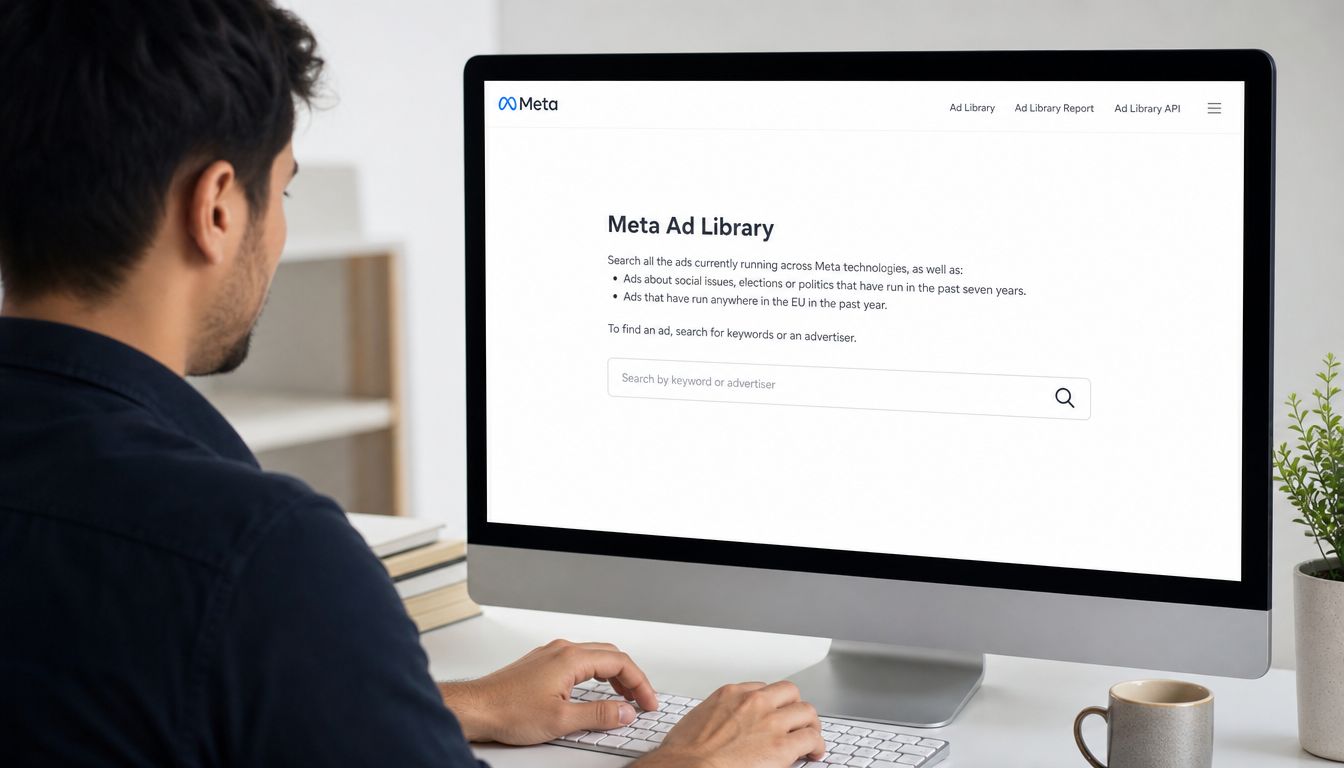
The Meta Ad Library indexes every active ad currently running across Facebook, Instagram, Messenger, and the Audience Network, and it's searchable without requiring a login. It also shows core ad-level details including the creative asset, estimated spend ranges, and exact delivery start dates, which is why it works so well as a practical research tool for marketers using Meta Ad Library data.
Start with the same setup every time
Open the library directly, select the correct country, and choose All Ads for normal commercial research. That sounds basic because it is. It's also where a lot of internal reporting gets distorted.
For team use, I like a short setup checklist:
- Country first: Match the market you're buying in.
- Category second: Use All Ads unless you're researching a sensitive or political category.
- Brand or keyword third: Don't start broad if your goal is direct competitor review.
- Capture the search context: Save the exact query, filters, and date reviewed.
If your team works across multiple systems and wants richer internal pipelines, it also helps to understand how technical teams build robust Facebook API integrations for downstream reporting and workflow automation.
Know what the library actually shows
The library is strong at surfacing observable ad behavior. It is not a substitute for your own account analytics. Treat it as a qualitative and directional tool.
What it does well for enterprise teams:
- Creative review: You can inspect images, videos, carousels, and messaging patterns.
- Timing analysis: Start dates help identify recent launches versus mature campaigns.
- Advertiser context: Teams can connect ads back to the page or advertiser identity.
- Spend clues: Estimated spend ranges can help frame relative investment.
What it won't do is confirm your competitor's actual profitability on standard commercial ads. That's where teams get into trouble. They over-read the library and underuse their own conversion and incrementality data.
Create a shared search standard
True gain comes from consistency. If five people are doing Meta Ad Library search differently, you don't have a research program. You have five opinions.
A clean standard usually includes a small shared template:
| Field | What to log |
|---|---|
| Advertiser | Brand or page searched |
| Market | Country or region |
| Query | Exact search term used |
| Filters | Media type, date, language, status |
| Key observation | Offer, hook, format, placement pattern |
| Recommended action | Test, monitor, ignore, or escalate |
Teams move faster when findings are documented in a format that creative, paid social, and leadership can all read without interpretation.
That standard reduces duplicate work, makes handoffs cleaner, and gives your testing team something far more useful than a folder of random screenshots.
Advanced Search Techniques to Uncover Competitor Messaging
Users often approach the search bar like a consumer. They type a brand name, scroll for a minute, and assume they've “done research.” That's not how strong media teams work. Strong teams use filters and query design to isolate patterns.
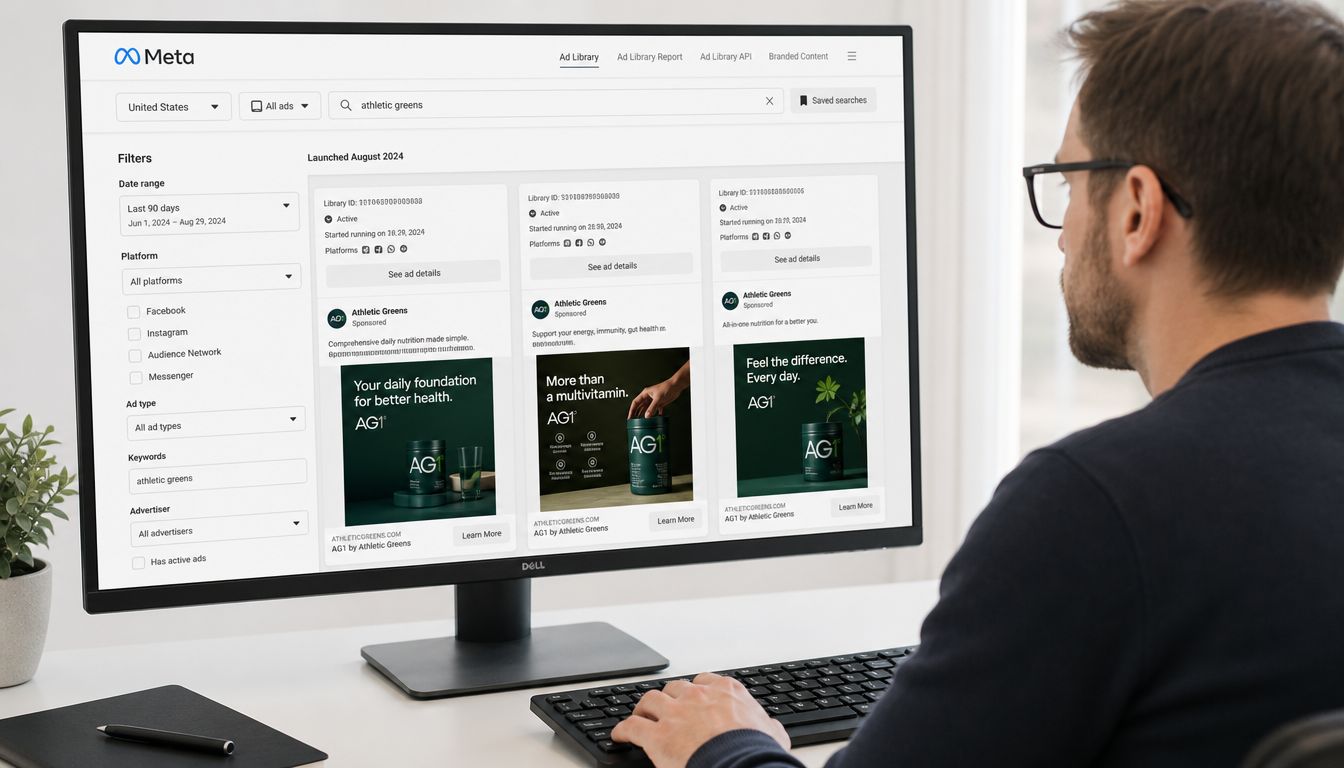
Meta Ad Library search capabilities include granular filtering by country, media type, and date range. It also supports phrase matching with quotation marks, which lets you search for exact text strings such as “Mary likes cheese sandwiches” when you want to identify precise messaging tactics in ads, as described in this breakdown of Meta Ad Library search filters and phrase matching.
Search like a researcher not a casual browser
Start with the direct brand query. Then widen the lens.
If you're researching a supplement brand, don't stop at the company name. Search product descriptors, problem-aware phrases, and offer language. A team looking at athletic greens-style products might search the brand, then terms tied to energy, digestion, morning routine, or daily habit positioning.
That helps you answer separate questions:
- Brand-name search: What is this advertiser openly running?
- Product-keyword search: Which products or benefits are they emphasizing?
- Offer-language search: Are they leading with trial, bundle, routine, or urgency?
- Placement-specific filter: Does the message change on video versus static?
This is also where adjacent tooling can help researchers compare public messaging outside Meta. For teams that audit creator narratives and adjacent social proof patterns, these Instagram scraping options can be useful context alongside library research.
Split the work across the team
A single person can't fully map a complex advertiser's messaging stack in one sitting. Divide the analysis by format or objective.
Here's a collaborative setup that works well:
- One buyer reviews video only: Focus on hooks, first-frame structure, spoken claims, and pacing.
- One creative strategist reviews static and carousel: Look at layout patterns, offers, and visual hierarchy.
- One analyst reviews timing: Note start dates, seasonal launches, and whether a campaign is being refreshed.
- One lead consolidates themes: Turn repeated observations into a testing shortlist.
That structure gives you depth without slowing the whole team down.
Search assignments should mirror campaign roles. The person who edits short-form video should own the Reels review, not just consume the summary later.
After a few cycles, this creates a much better creative feedback loop. Designers stop asking for “examples.” They start asking for examples by placement, audience stage, and offer type.
Use exact phrase matching to isolate offers and hooks
Quotation marks are one of the simplest and most useful features in the library. They help when broad keyword searches return too much noise.
If you want to find exact messaging patterns, search:
- Exact offer wording: “free trial” or “limited time”
- Specific pain points: “tired of”
- Benefit-led phrases: “feel better” or “sleep better”
- Repeated category slogans: competitor taglines or recurring CTA language
Later in the process, it helps to see another operator walk through this live. This walkthrough is useful for teams that want to tighten their search habits and compare methods before building internal SOPs.
The point isn't to find one perfect ad. The point is to build a pattern library. Once your team can isolate messaging by phrase, placement, and timing, your brief quality improves fast.
How to Differentiate Winning Ads from Zombie Campaigns
A lot of teams still make the same mistake. They see an ad that has been live for a long time and assume it must be a winner. That shortcut can waste a surprising amount of testing budget.
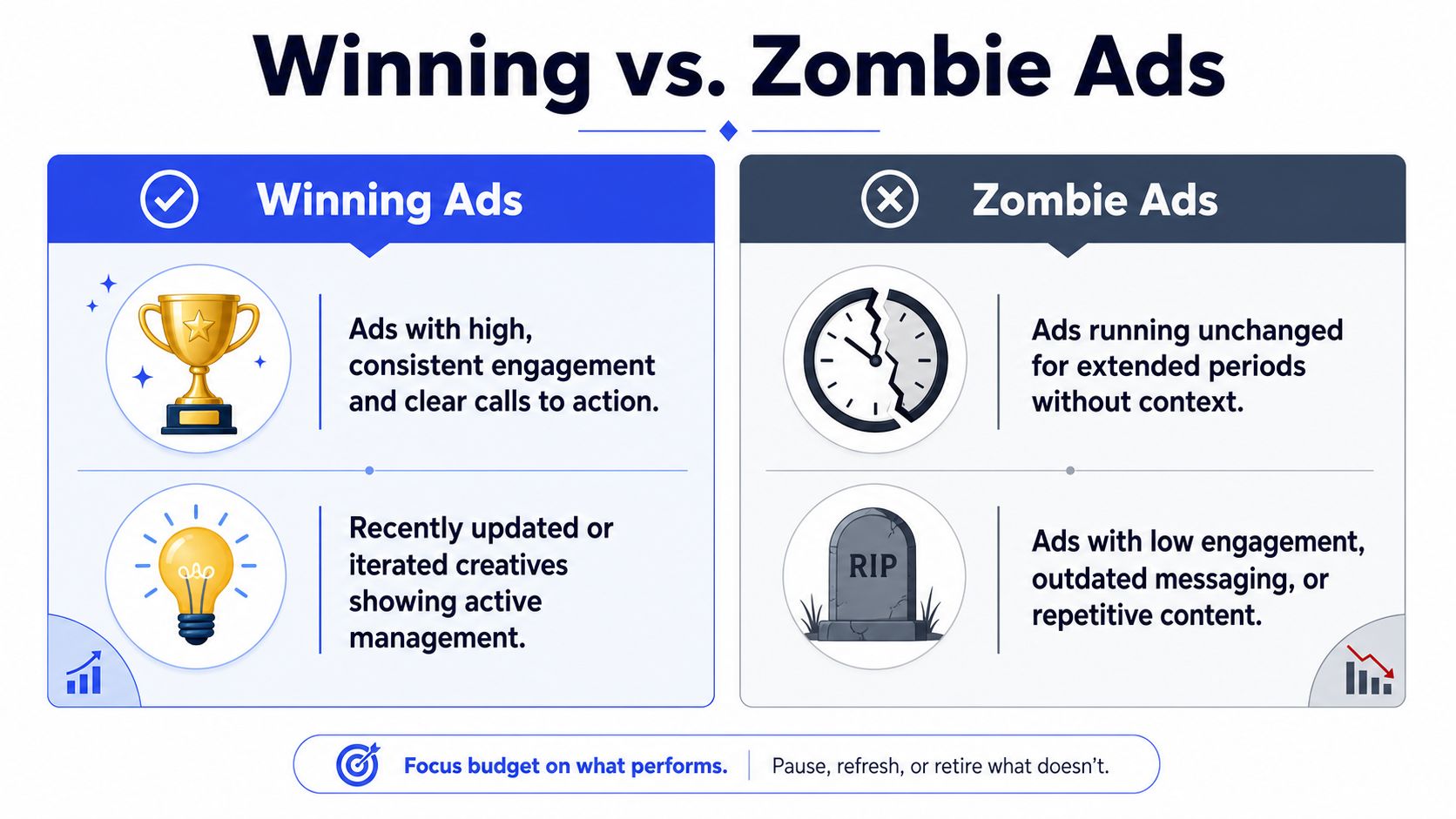
The Longevity Blindspot is real. Contrarian data shows that 54% of ads with 90+ day longevity are underfunded draft campaigns that never scaled, while only 22% of long-running ads are profitable winners. The same source notes that 31% of long-running ads have spend under $100/month, which is a strong reason to avoid treating age alone as proof of performance in this analysis of Meta Ad Library longevity pitfalls.
Longevity helps but it can mislead you
Longevity is still useful. It just isn't enough on its own.
A long-running ad can mean a few different things. It might be a scaled control. It might be a low-budget retargeting unit that never received much scrutiny. It might also be an abandoned remnant sitting untouched because nobody bothered to clean up the account.
That's why teams need a review standard that combines duration with context. When media buyers and creatives only chase “old ads,” they often rebuild stale concepts that were never central to the competitor's growth strategy.
A practical review framework for teams
When my team evaluates an ad that looks durable, we don't ask only “how old is it?” We ask whether the surrounding signals support the idea that it mattered.
Use a simple decision framework:
| Signal | Why it matters |
|---|---|
| Start date | Shows how long the ad has been in market |
| Estimated spend range | Helps separate active investment from low-priority leftovers |
| Creative variation | Suggests whether the advertiser kept iterating around the concept |
| Placement spread | Indicates whether the idea was broad enough to travel across surfaces |
| Message freshness | Reveals whether the copy still aligns with current market language |
This is one reason broad attribution debates can get messy if your team hasn't aligned on measurement basics. If the internal conversation around ad impact is already fuzzy, it helps to tighten up adjacent concepts like pixel tracking in performance marketing so research discussions stay grounded.
Long runtime is a clue. It is not a verdict.
What a zombie ad usually looks like
Zombie campaigns often have a recognizable feel. The creative looks frozen in time. The copy hasn't been refreshed. The page may have newer concepts running, but this one just lingers.
Common signs include:
- No visible iteration: You don't see adjacent versions, hooks, or refreshed design treatments.
- Weak strategic fit: The message doesn't match the advertiser's newer landing page or positioning.
- Stale offer language: The promotion feels out of sync with current category pressure.
- Low apparent urgency: Nothing about the ad suggests active optimization or scaling behavior.
Winning ads, by contrast, tend to sit inside a broader pattern. You'll often see related variants, stronger message discipline, and clearer continuity across placement-specific formats.
For teams, this matters because every copied false positive has a cost. Designers build around it. buyers allocate tests to it. approvers review it. Analysts report on it. When the source concept was weak from the beginning, all that downstream work becomes expensive noise.
The best safeguard is collaborative review. Don't let one person declare a winner based on age alone. Make longevity one input in a shared assessment, not the final answer.
Uncovering the Hidden Strategies Top Advertisers Use
A strategic advertiser rarely makes research easy for you. Some of their best tests won't be sitting neatly under the main brand page.
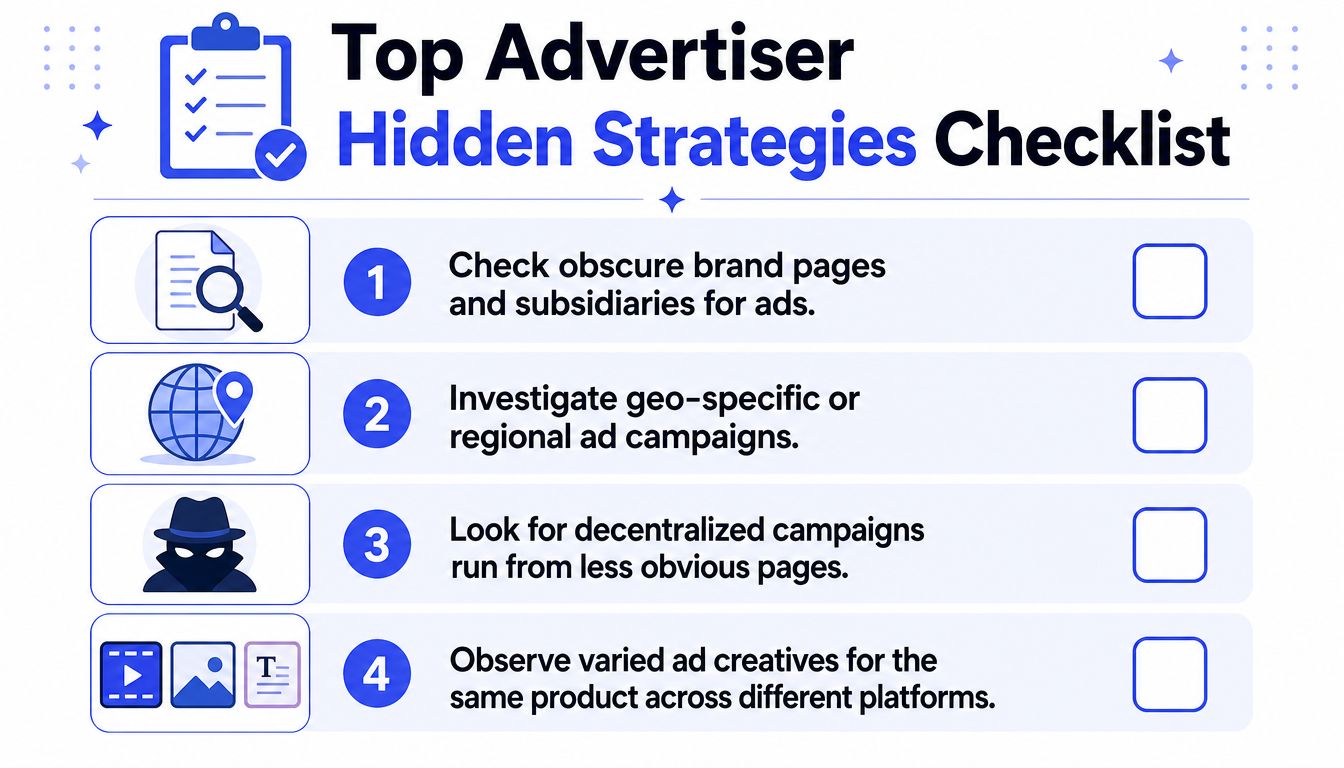
That's where the Multiple Page Paradox becomes important. Competitors often run campaigns through obscure or non-branded pages, and that causes 40% of missed competitor intelligence. For brands using this decentralized setup, searching only the main brand name can miss 72% of active ads, according to this discussion of hidden competitor ads and page search blind spots.
The Multiple Page Paradox is real
Enterprise teams feel this problem first because they're usually competing against brands with more mature account structures. A brand might run prospecting from one page, creator-style tests from another, regional pushes from geo-specific pages, and compliance-sensitive messaging from a separate entity.
If your process is “search the brand and scroll,” you'll miss a lot.
What works better is layered discovery:
- Start with the core brand page
- Cross-check page transparency details when available
- Search product names instead of only brand names
- Search category promises and unique selling points
- Look for geo variants and alternate spelling patterns
That's especially important when adjacent platform behavior affects the creative strategy. If your team is monitoring how short-form creator incentives influence message style, these updates on new Instagram creator bonuses can add useful context when creator-looking ads start showing up under less obvious pages.
What most teams miss in search logic
A second problem is sloppy operator use. Teams hear that advanced search exists, then misuse it.
The fix isn't to get fancy. It's to get deliberate. Search in tight batches. Change one variable at a time. Compare exact phrase queries against broader product descriptors. Log which search path surfaced the result.
A good investigator doesn't trust a single query. They triangulate.
The best competitor research usually comes from the second and third search path, not the first one.
Build an investigation workflow
When hidden-page behavior is likely, assign the work like an audit:
Buyer one checks brand and page variants
Include abbreviations, alternate spacing, and geo labels.Buyer two checks product-led discovery
Search hero products, offers, and recurring claims instead of the company name.Creative lead reviews visual consistency
Do these “different” pages still use the same design language, offer architecture, or script style?Ops or analyst maps relationships
Log pages, markets, formats, and recurring themes in one shared sheet.
The value of enterprise discipline becomes evident. Small teams usually stop when the search gets messy. Strong growth teams keep tracing the edges until they understand the advertiser's structure, not just the ad itself.
From Insight to Action Integrating Research into Your Team Workflow
Research dies when it lives in screenshots. It survives when it becomes part of campaign production.
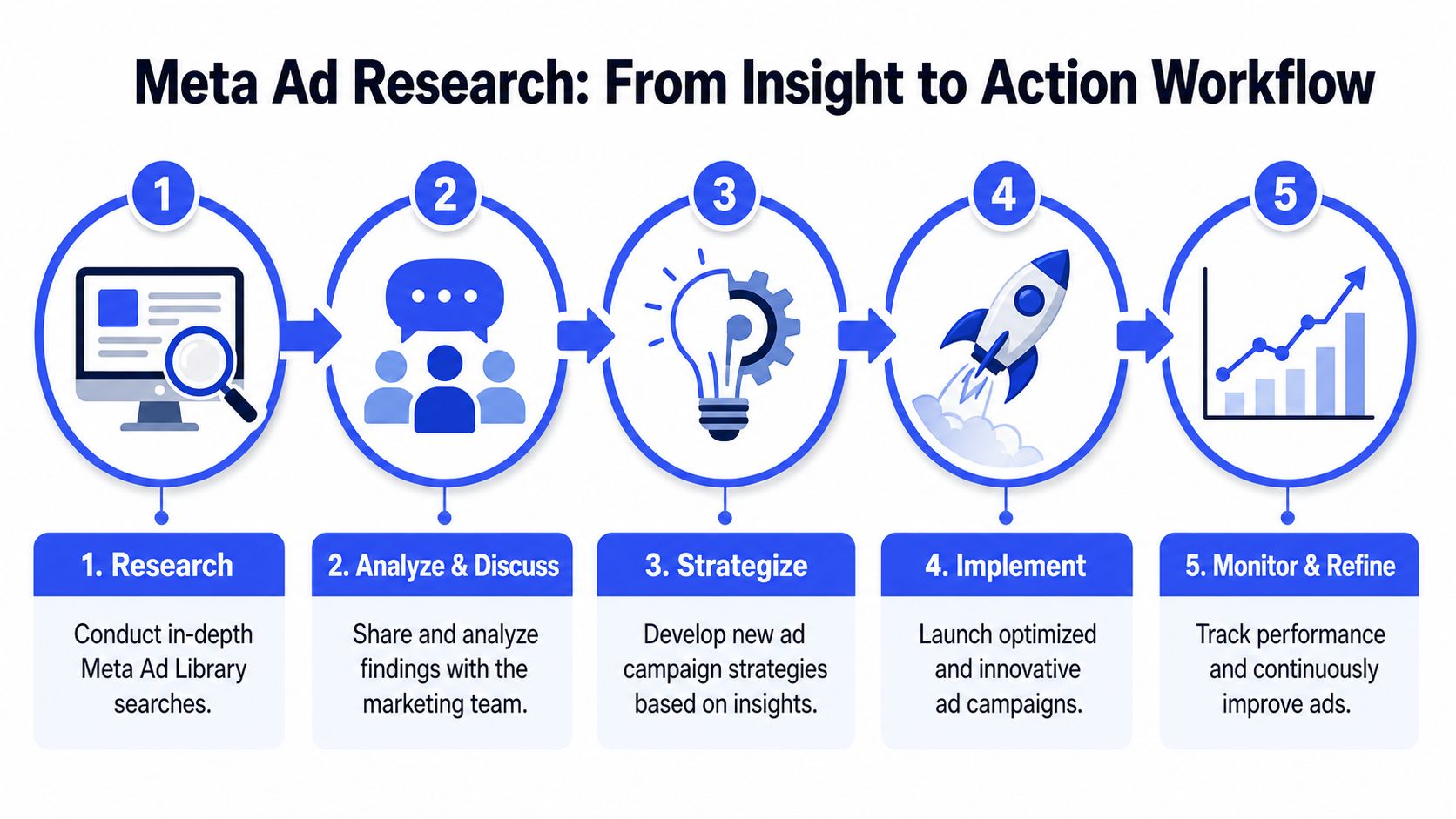
A more rigorous methodology for Meta Ad Library search includes sorting results by start date to identify ads that have run for weeks or months, then using a baseline-to-hypothesis framework: establish current performance, document competitor strategies, and create test hypotheses from what you observe. That systematic approach matters because 65% of marketers fail when they fall into copy-paste adaptation instead of building clear testing logic, as outlined in this guide to a baseline-to-hypothesis Meta Ad Library workflow.
Turn raw findings into testable briefs
The biggest operational mistake isn't poor searching. It's poor translation.
A screenshot alone doesn't tell a designer what to build or a buyer what variable to test. Teams need to turn each useful observation into a concise brief with fields like:
- Observed pattern: What exactly keeps appearing?
- Why it may work: Hook clarity, offer framing, format fit, or placement behavior.
- What we'll adapt: Not the ad itself, but the principle behind it.
- What we won't copy: Claims, visual identity, or audience assumptions that don't fit.
- Owner and deadline: Who builds, who reviews, who launches.
That's also why reporting loops matter. Research should feed directly into planning and then back into post-launch review. If those handoffs are still manual, standardized Facebook ads reporting workflows help the team connect pre-launch hypotheses to actual delivery outcomes.
Use a baseline to hypothesis system
A practical team workflow usually looks like this:
| Step | Team action |
|---|---|
| Baseline | Pull current performance by format, hook type, and offer family |
| Observation | Document competitor patterns from library research |
| Hypothesis | Convert the pattern into a test statement |
| Production | Build creative variations tailored to your brand and funnel stage |
| Review | Compare outcome against the original baseline |
This keeps the team honest. A concept doesn't move into production because it looked cool in a competitor account. It moves because there's a documented reason it might outperform your current control.
Keep research alive after launch
The best teams don't treat Meta Ad Library search as a one-time workshop. They make it a recurring operating input.
A weekly or biweekly review cadence works well for cross-functional teams:
- Media buyers bring new market signals
- Creative strategists tag repeat hooks and visual structures
- Designers and editors flag what is feasible to produce fast
- Analysts compare launched tests to the baseline
- Approvers decide what becomes part of the approved concept library
That shared cadence turns ad research into a testing engine instead of a mood board. You build institutional memory. New team members ramp faster. Senior buyers stop re-explaining category basics. Creative reviews get sharper because everyone is looking at the same evidence.
The primary payoff is efficiency. Research stops being a side task and becomes a production input the whole team can trust.
If your team is tired of tab-heavy Meta workflows, Koast gives you a cleaner way to move from research to execution. You can centralize creatives, control approvals, launch across multiple ad accounts, and keep buyers, creatives, and ops aligned from one system instead of stitching the process together manually.